IP Addresses for Web Developers: IPv4, IPv6, NAT | dalabs.academy
IP Addresses for Web Developers
Tung Nguyen
··
11 min read
We have now read every line of an HTTP request and response, from the method down to the body. But a message only does something once it reaches the right machine, and HTTP itself has no idea how to find that machine. That job belongs to a layer underneath, and it starts with the IP address.
Overview
In the last section we treated the network as a pipe that carries our HTTP messages. This chapter opens up that pipe. We will pin HTTP to the top of the layer model from Section 1, then look closely at the addressing system that gets bytes to the right computer.
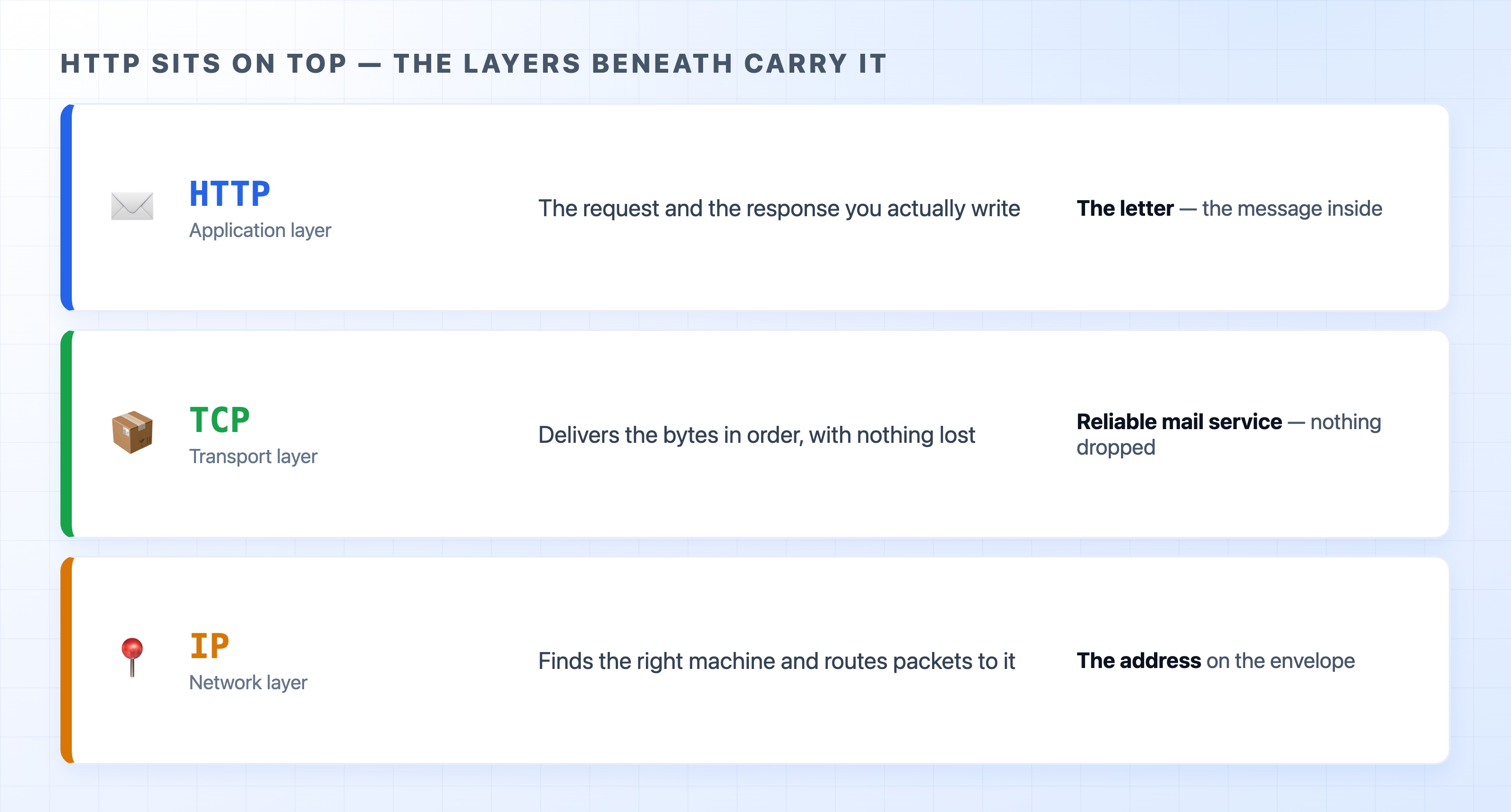
HTTP sits on top of TCP and IP
Here is what we will cover:
Where HTTP sits in the stack, and how TCP and IP carry it
IPv4 and IPv6, and why a second version exists at all
Public versus private addresses, and why your laptop's IP is not what a server sees
HTTP is the letter, not the postal service
Back in Section 1 we sorted the internet's protocols into layers, each one with a single job. It is worth pulling that model back up, because HTTP makes a lot more sense once you see what is holding it up.
Think of sending an HTTP request the way you would think of mailing a letter.
The letter is the HTTP message. It has your actual words in it: the method, the headers, the body. The post office does not read it or care what it says.
The address on the envelope is the IP address. IP, the Internet Protocol, is the layer whose whole job is to label each machine with an address and route packets toward it. Without an address, your letter has nowhere to go.
The reliable delivery is TCP. TCP, the Transmission Control Protocol, makes sure the bytes arrive in order and nothing goes missing. Raw IP can drop a packet or deliver two out of order; TCP notices and fixes it, so HTTP gets a clean, ordered stream to read.
So when you send a request, HTTP hands its message down to TCP, TCP breaks it into pieces and hands them to IP, and IP gets each piece to the right machine. The reply comes back up the same stack in reverse. HTTP never touches an address itself. It trusts the layers below to handle delivery, the same way you trust the postal service once you have written an address on the envelope.
The rest of this chapter zooms in on that address.
What an IP address actually is
An IP address is a number that identifies one machine on a network. Every device that talks to the internet has at least one. When data needs to reach your laptop, your phone, or a web server in a data center, the IP address is what points it there.
You have almost certainly seen one written out:
93.184.216.34
text
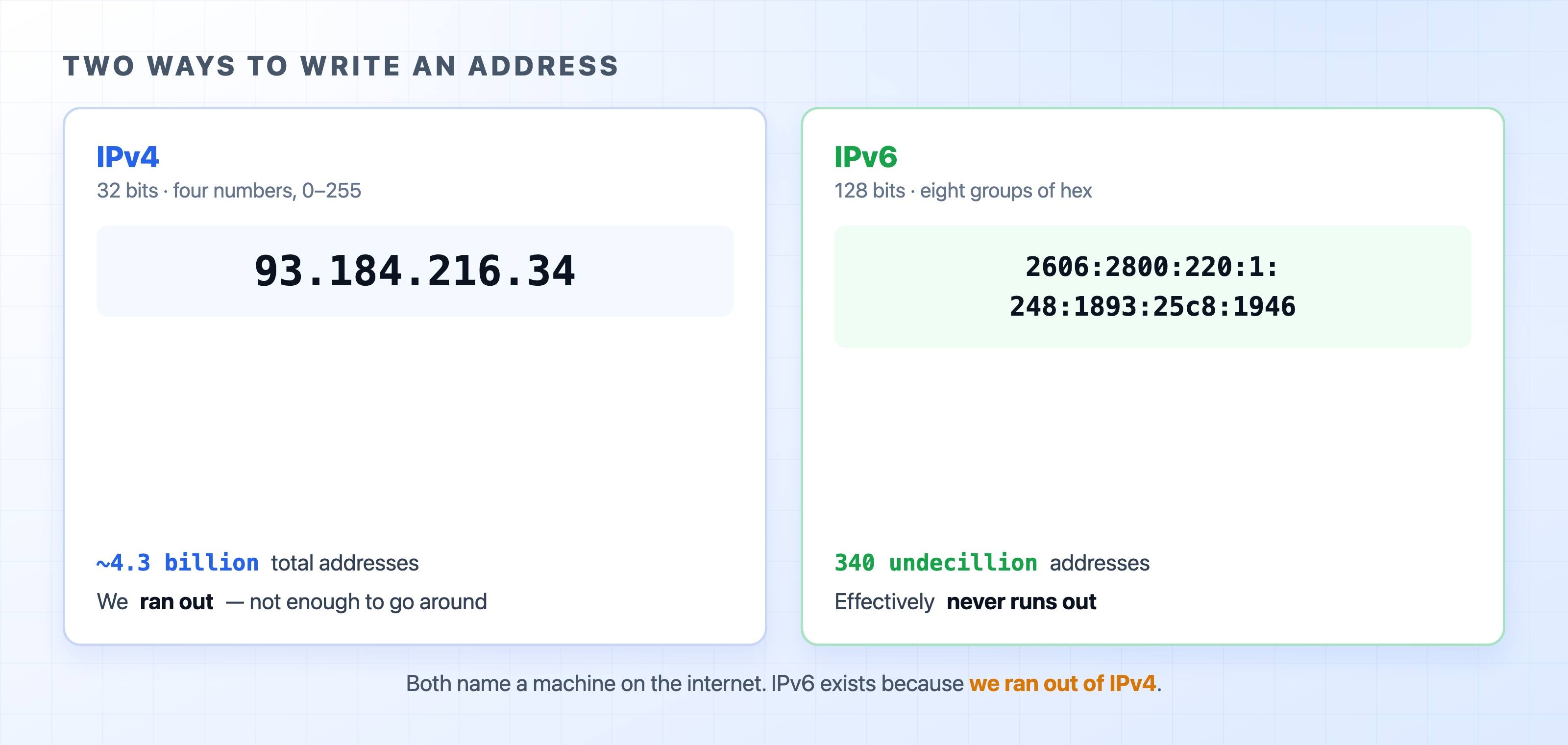
That is the IP address of one of the servers behind example.com. Four numbers, each between 0 and 255, separated by dots. This format is called IPv4 (IP version 4), and it has been the backbone of the internet since the early 1980s.
Each of those four numbers is a byte, so an IPv4 address is 32 bits in total. That sounds like a lot, but do the math and it caps out at about 4.3 billion possible addresses.
Why there are two versions
Four billion sounded like plenty in 1983. It is not plenty now. There are more phones, laptops, servers, smart TVs, and assorted gadgets online than there are IPv4 addresses to label them. The internet, quite literally, ran out.
The long-term fix is IPv6 (IP version 6), a newer format with much larger addresses.
IPv4 and IPv6 address formats side by side
An IPv6 address is 128 bits instead of 32, written as eight groups of hexadecimal separated by colons:
2606:2800:220:1:248:1893:25c8:1946
text
The jump from 32 to 128 bits is bigger than it looks. IPv6 has room for around 340 undecillion addresses, a number so large that running out is not a practical concern. The point of IPv6 is not that it is faster or fancier. It exists because we needed far more addresses than IPv4 could ever provide.
Common confusion: IPv6 did not replace IPv4. Both run side by side today, and a huge amount of the web is still reachable over IPv4. Adoption has grown steadily, but for now you will meet both. The good news for you is that HTTP, TCP, and the way you write code do not change based on which one is in use. The address just looks different.
Your laptop's IP is not the one the server sees
Here is something that surprises a lot of developers the first time they notice it. If you check your laptop's IP address, you might see something like 192.168.1.5. But if you ask a website what IP your request came from, it reports a completely different number. Both are correct, and the gap between them is one of the most useful things to understand about how home and office networks work.
The reason is that there are two kinds of IPv4 addresses: private and public.
A private IP address is only meaningful inside one local network, like your home or office. Certain ranges are reserved for this, and the one you will see most often at home starts with 192.168. These addresses are not unique across the internet. Millions of home networks all use 192.168.1.5 for some device, and that is fine, because a private address never travels out onto the public internet on its own.
A public IP address is globally unique and routable across the whole internet. Web servers have public IPs so anyone, anywhere, can reach them. Your home network has one too, but usually just one, assigned by your internet provider and shared by every device in the house.
So how do five private devices share a single public address? Through a trick your router performs called NAT.
NAT: many devices, one public address
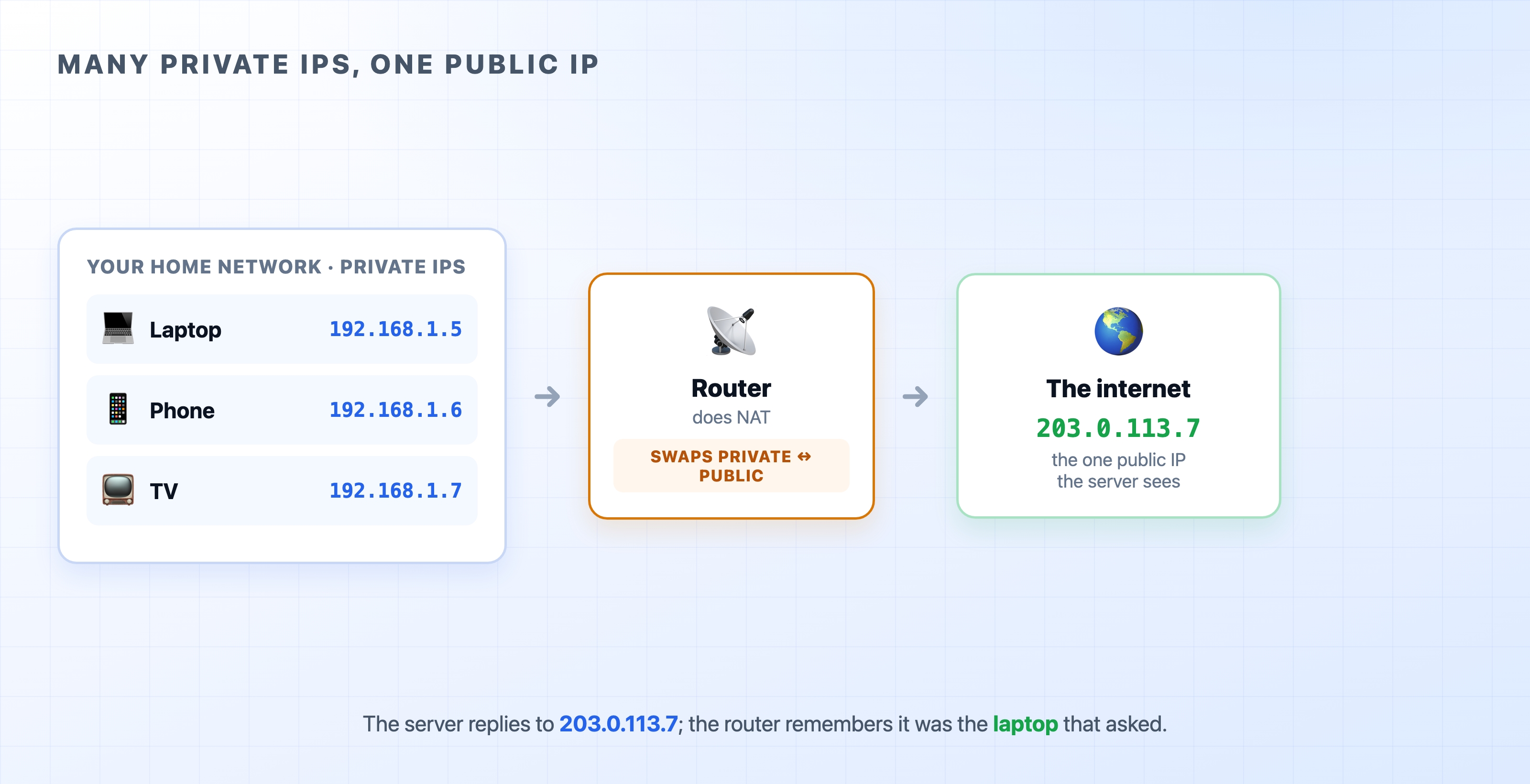
Many private home IPs behind one public IP
NAT stands for Network Address Translation, and it is the job your home router quietly does all day. When your laptop sends a request out to the internet, the router rewrites the packet: it swaps your laptop's private 192.168.1.5 for the home's single public address before the packet leaves. When the reply comes back, the router does the reverse, swapping the public address back for 192.168.1.5 so the response lands on your laptop and not the TV.
The router keeps a small table of which internal device is waiting on which conversation, so it always knows where to send each reply. From the web server's point of view, every request from your house appears to come from the same public IP. It has no idea there are several devices behind it.
This is why the IP a server logs for you is not the address you see on your own machine. And it is why the same public IP can be shared by a whole household, or even, with larger-scale NAT at the provider level, by many households at once. NAT is a big part of how the world kept functioning on IPv4 long after the addresses technically ran out.
For your day-to-day work, the mental model is simple: inside your network you have a private IP, and to the outside world your traffic wears your network's public IP. You rarely have to think about the translation in between, but knowing it exists explains a lot of otherwise confusing log entries.
Try it now
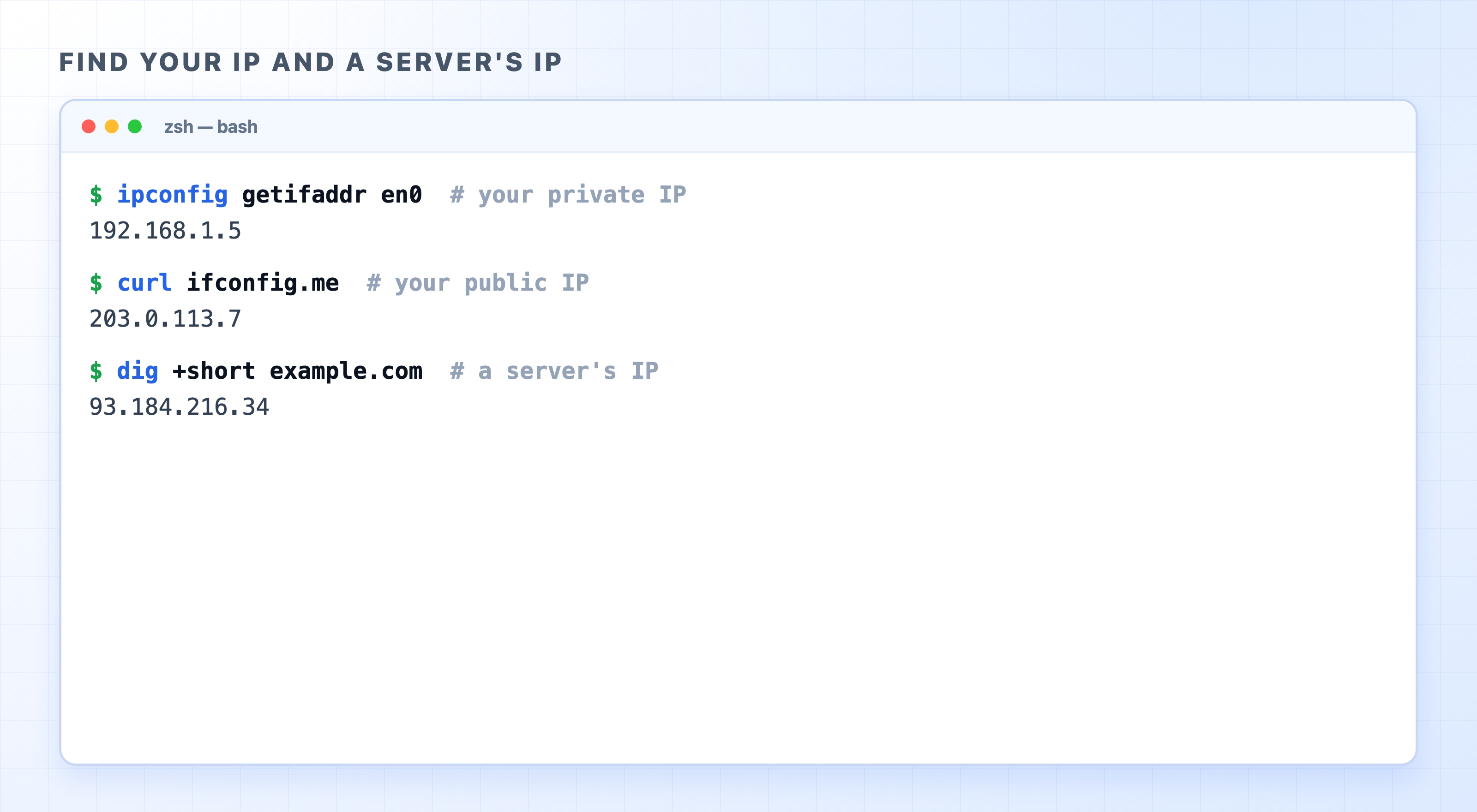
You can see all three of these addresses for yourself. Open a terminal and run these commands.
To find your machine's private IP on macOS:
ipconfig getifaddr en0
bash
On Linux, use ip addr and look for an address starting with 192.168 or 10.. On Windows, run ipconfig and read the IPv4 Address line.
To find the public IP your traffic appears to come from, ask a service that simply echoes it back:
curl ifconfig.me
bash
And to find the IP address of a server behind a domain name:
dig +short example.com
bash
Commands to find your IP and a server's IP
Compare the first two. Your private IP is the address your laptop knows itself by; your public IP is the one the world sees, courtesy of NAT. The third command does something new: it turns a name into a number.
Names are for humans, numbers are for the network
Notice that last command took example.com and handed back 93.184.216.34. That is a hint at what comes next.
The network only routes to IP addresses. It has no concept of example.com, google.com, or any other name. But nobody wants to memorize a string of digits for every site they visit, and a server's IP can change without warning. So we use names, and something has to translate those names into the numbers the network actually needs. That translation is what dig just did for us, and it is the entire job of DNS.
What's Next
The next chapter stays at the network layer and looks at TCP, the protocol that turns IP's unreliable, out-of-order packets into the clean, ordered byte stream that HTTP assumes it has.