Every HTTP response carries a three-digit status code on its status line. This number is the server's quick summary of how the request went. While there are dozens of codes defined, you do not need to memorize a giant list. The best approach is to learn the five broad categories first, and then focus on the handful of specific codes you will see every day.
The first digit of a status code tells you its category. This single number is usually enough to tell you whether the request succeeded or failed.
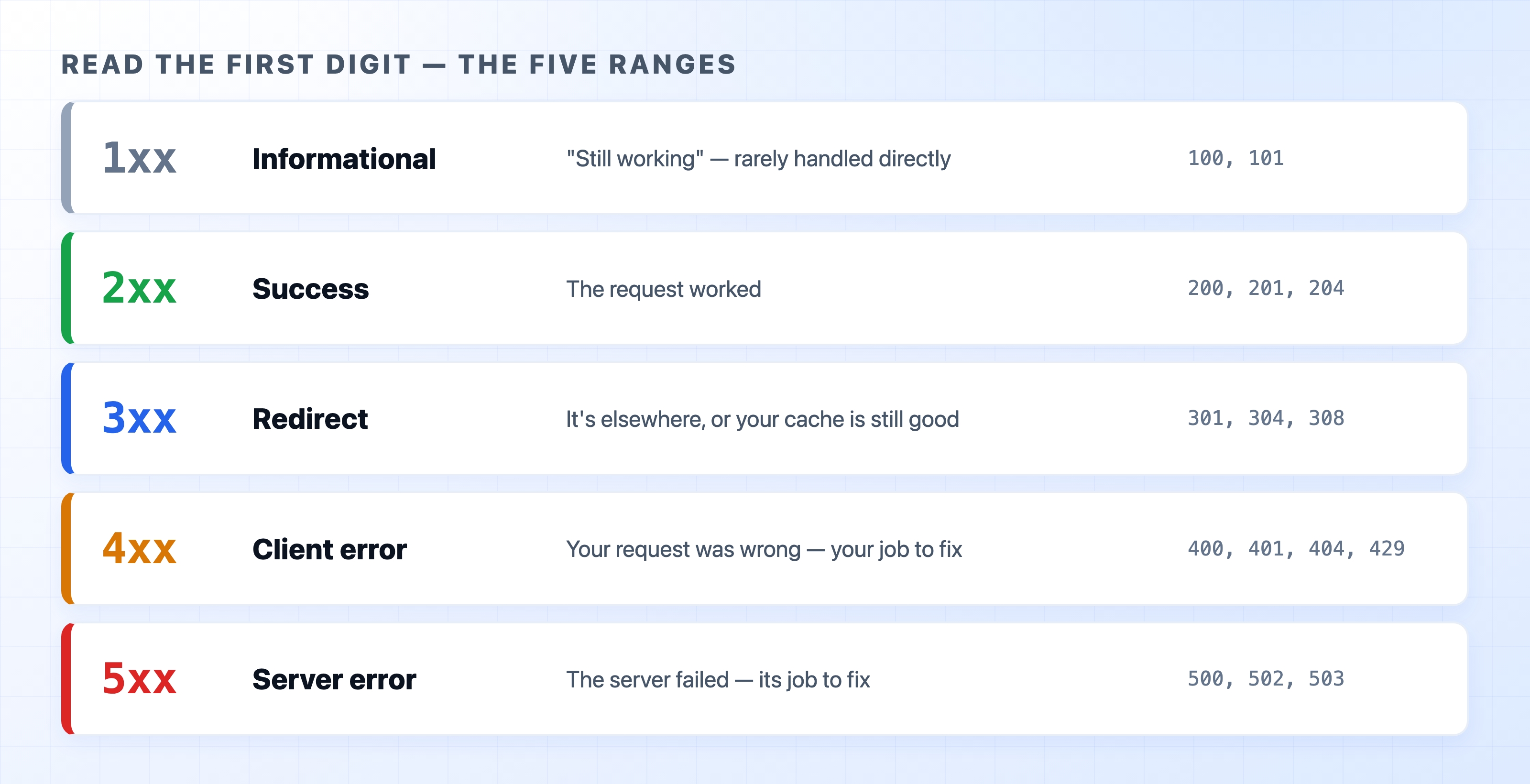
200 OK lives here.The split between 4xx and 5xx is incredibly useful. It immediately tells you where to look when something breaks. A 4xx error points at the request you sent, while a 5xx error points at the server you sent it to.
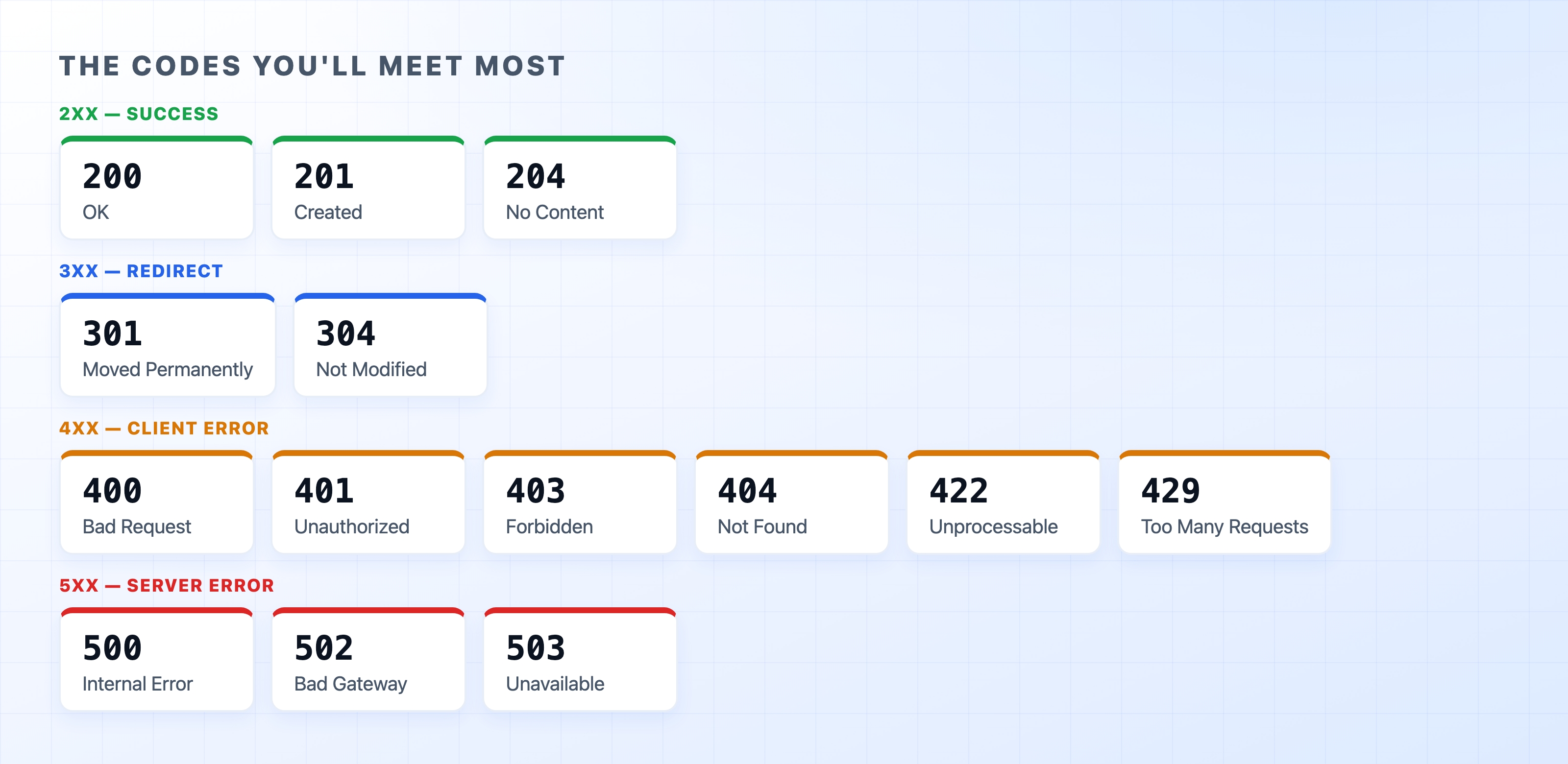
Within those five ranges, a small set of codes comes up constantly. These are worth knowing on sight.
POST request.DELETE request.These two codes are frequently confused, so the difference is worth nailing down. Both refuse the request, but for entirely different reasons.

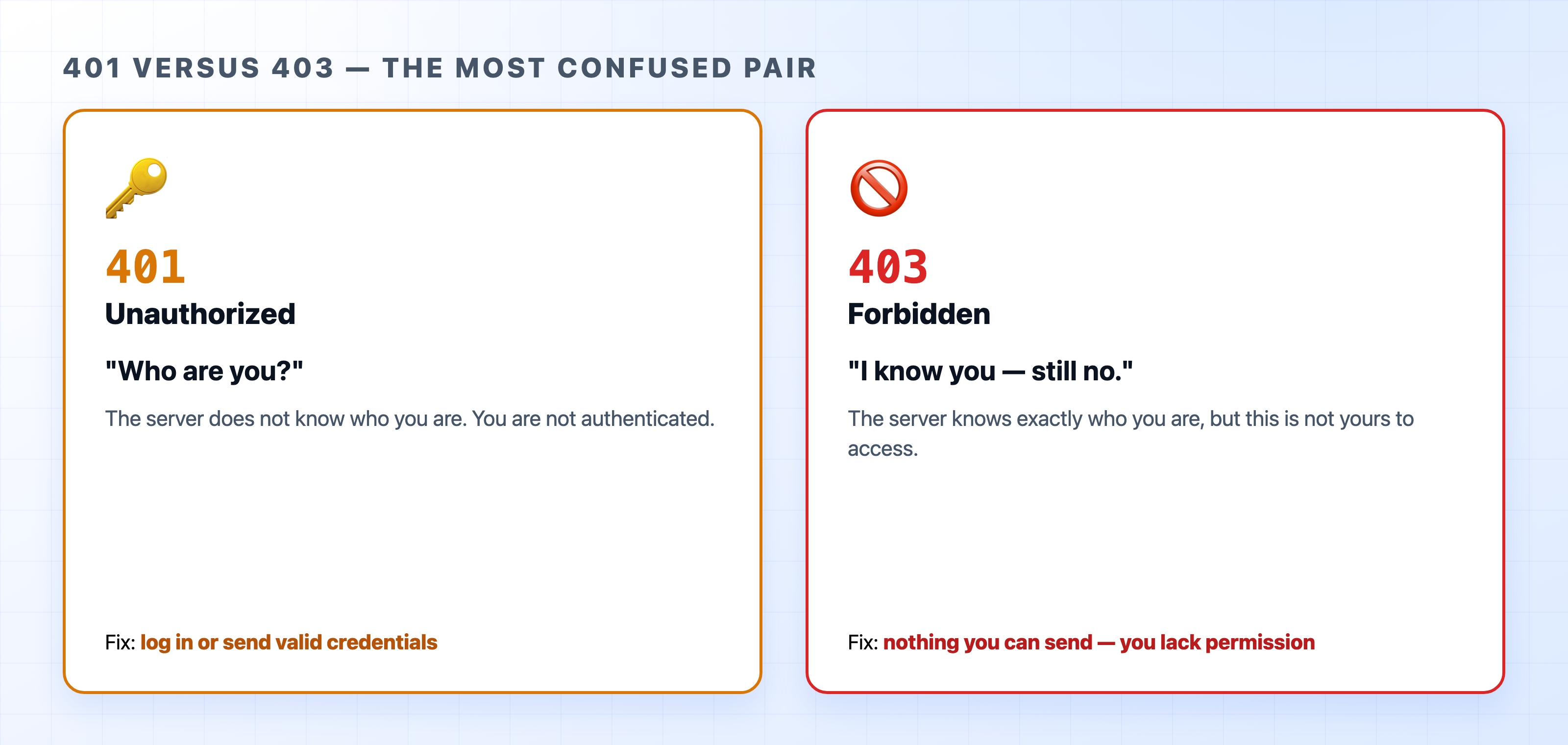
401 Unauthorized actually means unauthenticated. The server does not know who you are. The fix is to log in or provide valid credentials. Despite the word "unauthorized" in the name, this code is strictly about identity.
403 Forbidden means the server knows exactly who you are and is still saying no. You are logged in, but you do not have permission to view or modify this specific resource. Sending fresh credentials will not help because authentication was never the problem.
A quick test: if logging in would fix the error, it is a 401. If you are already logged in and still blocked, it is a 403.
When you build an API endpoint, the status code is part of your contract with the caller. It is worth choosing these codes deliberately. Return 201 when you create something, or 204 when a request succeeds but you have nothing to send back. Use 400 or 422 when the caller provides bad input. Use 401 or 403 for authentication and permission issues. Finally, reserve 5xx codes for situations where your server code actually fails. Picking an honest status code allows clients, caches, and monitoring tools to react correctly without having to parse your response body.
A tempting mistake is to answer every request with a 200 OK and hide the real outcome inside the response body, like { "error": "not found" }. This causes major problems. Every layer between your server and the caller reads the status code, not your JSON payload. This includes browsers, caches, proxies, and monitoring tools. A 200 tells all of those systems that the request succeeded. As a result, failures get cached, automatic retries fail to trigger, and monitoring dashboards look perfectly healthy while your users experience errors. Always let the status line tell the truth.
You can configure curl to print just the status code, which is perfect for seeing how different URLs respond:
bashcurl -o /dev/null -s -w "%{http_code}\n" https://example.com
That command prints 200. If you point it at a URL that does not exist, like https://example.com/nope, it will return 404. You can also add the -I flag to any curl request to see the full status line and headers together.
That completes our look at the HTTP message itself, including its anatomy, methods, headers, and status codes. The next section drops below HTTP to explore the underlying network that carries every one of these messages, starting with IP addresses.