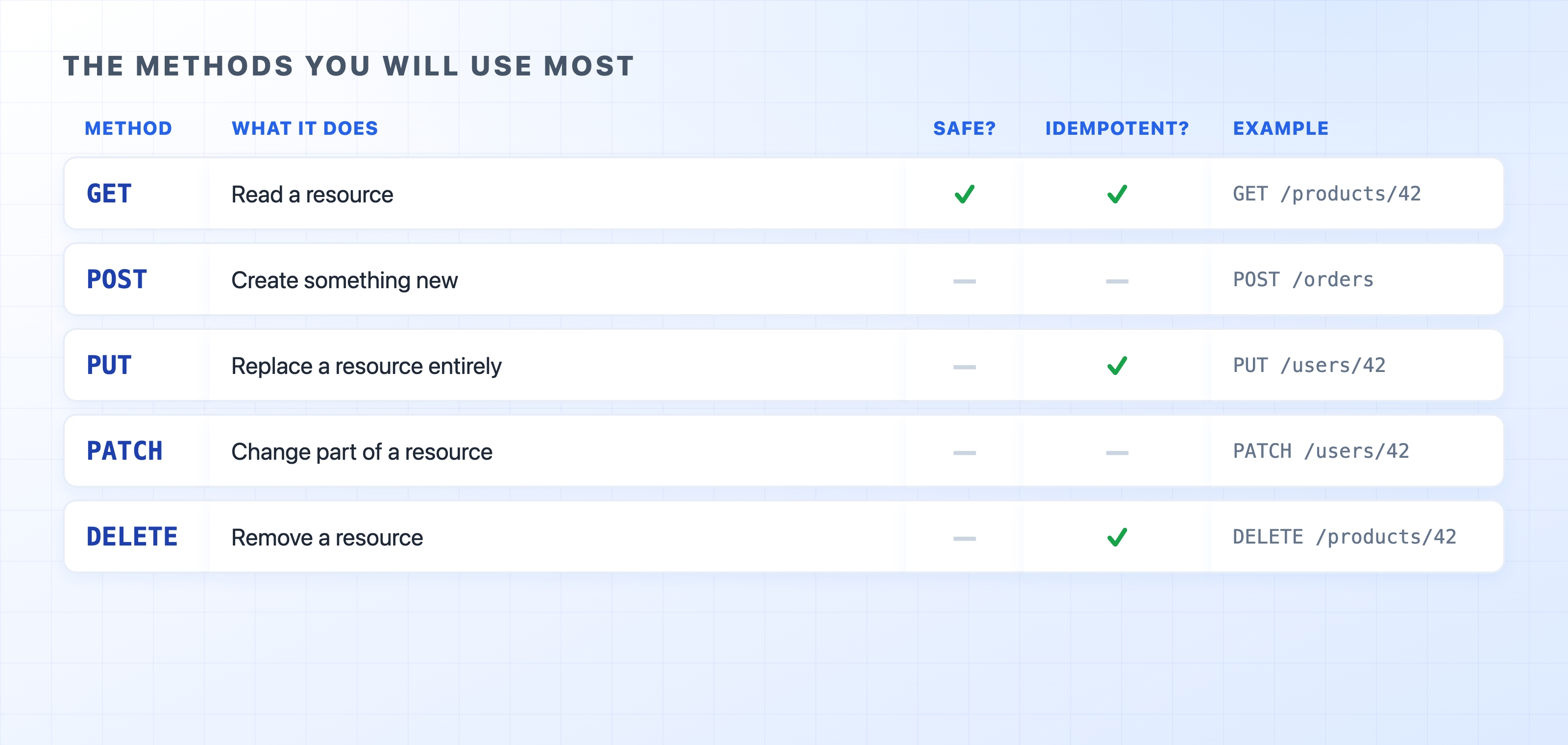
The request line opens with a single word: the method. Think of it as the verb of the sentence. It tells the server what you want to do with the resource named in the path. For example, GET /products/42 reads the product, while DELETE /products/42 removes it. It is the exact same resource, but the opposite intent is decided entirely by that first word. A small handful of methods carry almost all the traffic on the web.

Each method has a clear, specific job:
If you only ever used GET and POST, you could still build most of a website. PUT, PATCH, and DELETE become highly useful when you design APIs. Matching the right verb to the action makes your interface predictable for other developers.
Two terms come up constantly when discussing HTTP methods. Both answer practical questions about what happens if a request is repeated.
A method is considered safe if it does not change anything on the server. GET is safe. Reading a page leaves the server exactly as it was. Because of this, browsers, caches, and search engine crawlers feel free to send safe requests whenever they like.
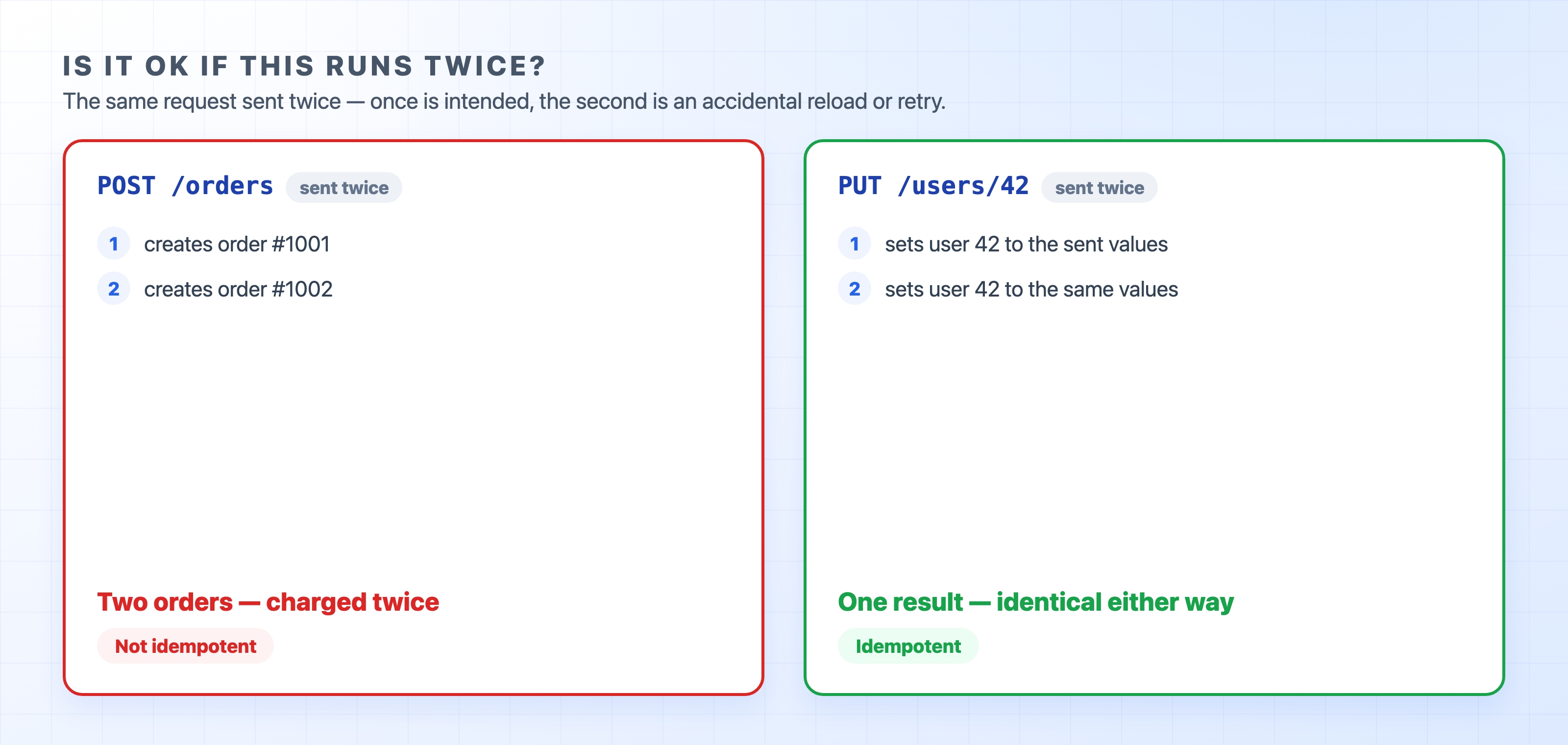
A method is considered idempotent if sending it twice leaves the exact same result as sending it once. GET, PUT, and DELETE are all idempotent. Deleting the same resource twice still ends with the resource being gone. The second DELETE changes nothing new. POST is the odd one out. It is neither safe nor idempotent.

This difference matters in the real world. If you submit a POST /orders request twice because a page reloaded, you might accidentally create two orders. But if you send PUT /users/42 twice with the same body, you get the same single user either way. This is why a payment form warns you not to click the submit button twice. It is also why automatic retry logic relies heavily on idempotent methods. When you are unsure which method to use, asking "is it safe if this runs twice?" usually points you in the right direction.
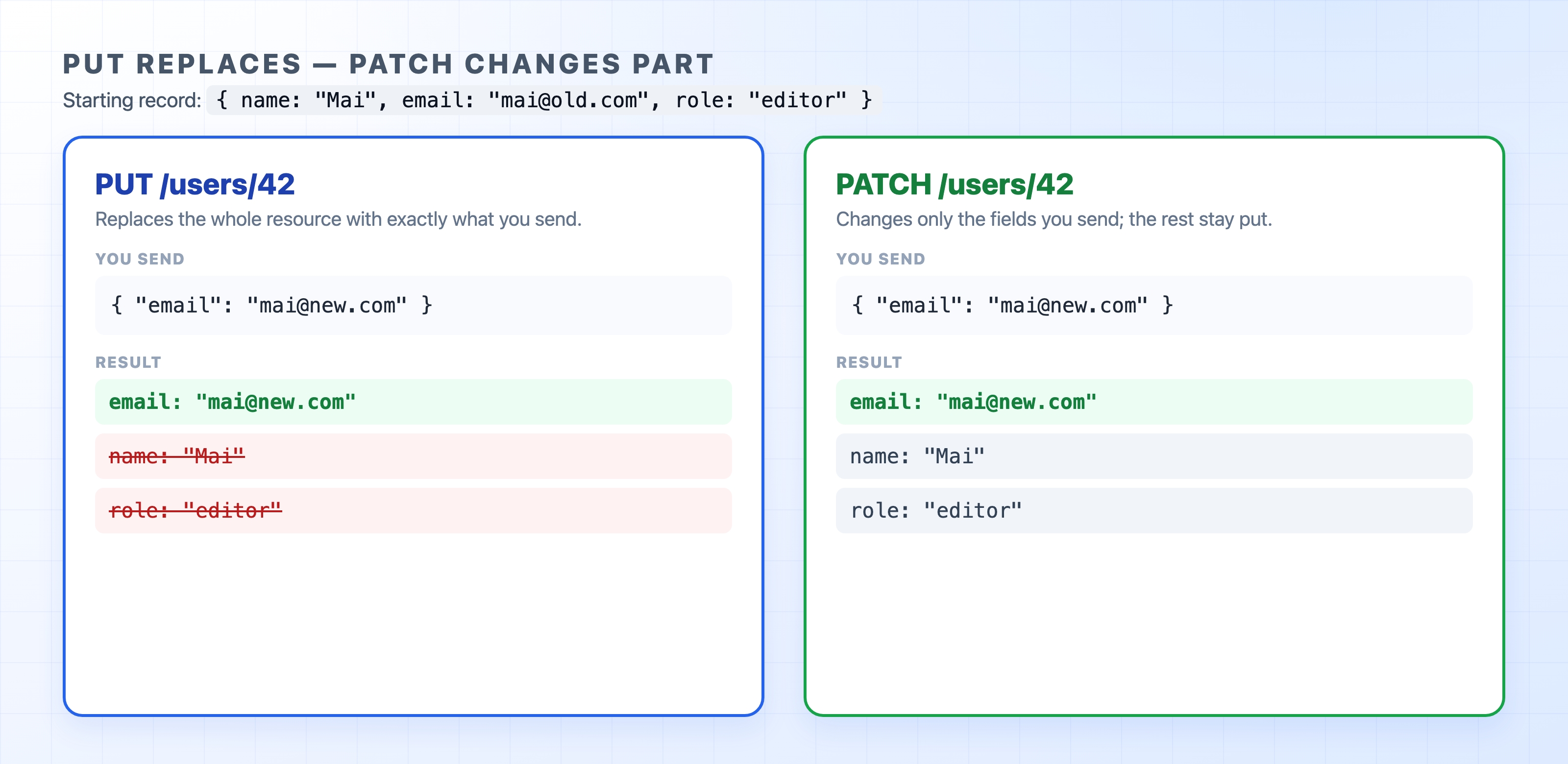
These two methods trip up almost everyone because both are used to update a resource. The difference comes down to how much data you send.
PUT replaces the whole resource with the body you provide. If you send a PUT request for a user but only include their email address, the fields you left out might be wiped blank. This happens because you just described the entire new version of that user, and your new version had no name.
PATCH changes only the fields you send and leaves the rest untouched. To update just an email address, you would send a PATCH request with { "email": "..." }. The user's name and role stay exactly as they were.

A good rule of thumb is to reach for PATCH when you are editing a few specific fields, and use PUT when you genuinely mean to overwrite the entire record.
Two more methods show up often enough that you should recognize them, even if you rarely write them by hand.
HEAD is essentially a GET request without the body. The server returns the same status line and headers it would for a normal GET, but it stops before sending the actual content. This is handy for checking whether a file exists or reading its Content-Length without having to download the whole thing. Health checks and automated link checkers rely heavily on it.
OPTIONS asks the server what actions are allowed for a specific resource. Browsers send this automatically as a preflight check before certain cross-origin requests. It asks the server for permission before sending the real request. You will definitely meet this method again if you ever need to debug a CORS error.
Because GET is considered safe, the whole web treats it as harmless. Browsers prefetch links to speed up loading, caches store responses, and search engine crawlers follow every URL they find.
If you wire an action like GET /delete?id=42 that actually deletes something on your server, you have accidentally built a trap. A crawler or a browser prefetch can fire that URL without a human ever clicking it. Anything that changes state belongs behind POST, PUT, PATCH, or DELETE. It should never be a GET request.
The curl tool defaults to using GET, but the -X flag lets you choose another method. Try a HEAD request and watch the headers come back with no body:
bashcurl -I https://example.com
The -I flag sends a HEAD request and prints just the status line and response headers. You can also swap in curl -v -X POST https://example.com to see a different method appear on the request line.
Right under that first request line sit the headers. These contain the metadata that shapes almost everything else about an HTTP message. The next chapter sorts these headers into a few simple buckets so they stop feeling like an endless list.