Between the first line of an HTTP message and its body sit the headers. These are the Key: Value lines you have seen in previous examples. Think of the request line as the action and the body as the payload. The headers are the metadata. They are the extra notes both sides attach to explain how the message should be handled. There are hundreds of defined headers. That might sound intimidating, but they actually fall into just a few simple groups.
Mechanically, a header is very simple. It is a name, a colon, and a value, like Content-Type: application/json. Header names are case-insensitive. This means Content-Type, content-type, and CONTENT-TYPE are all treated as the exact same header. You will see different capitalizations in the wild, but they all mean the same thing.
Anyone can invent a new header. You might see a name starting with X-, such as X-Request-Id. This is an older convention for custom, non-standard headers. The X- prefix is more of a habit than a strict rule today. If you spot a header you do not recognize, it is often one that a specific application created for its own internal use.
The easiest way to make sense of headers is to sort them into four main buckets.
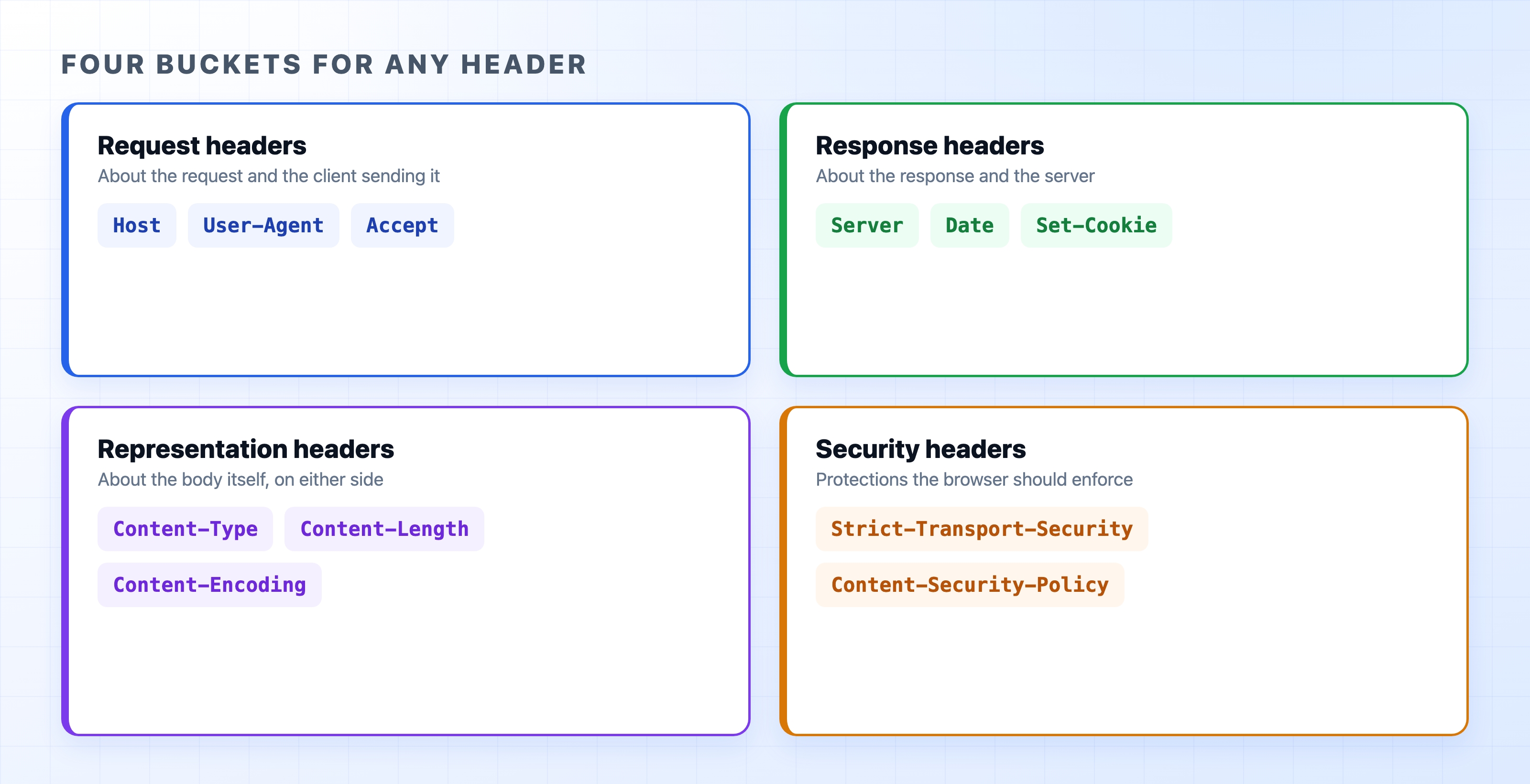
HostUser-AgentAcceptServer names the software running on the server. Date provides a timestamp. Set-Cookie hands your browser a cookie to store.Content-Type states the format of the body. Content-Length gives its size. Content-Encoding explains how it was compressed.Strict-Transport-Security tells the browser to always use HTTPS, and Content-Security-Policy limits what resources the page is allowed to load.These boundaries are not perfectly strict. You do not need to memorize exactly where every header belongs. When an unfamiliar header appears, you can usually guess whether it is talking about the request, the response, the body, or a security rule.
You rarely type out headers by hand when using a web browser. Yet, every single request carries a stack of them. When you open a website, your browser quietly attaches details like:
Host: The domain you are visiting. This allows a single server to host many different websites.User-Agent: A long string of text identifying your browser and operating system.Accept: The types of content the browser can handle, like HTML documents and images.Accept-Language: Your preferred languages, helping the server localize the page.Accept-Encoding: The compression formats your browser understands.None of these are strictly required for HTTP to function. Together, they give the server enough context to tailor its response to the client.
Headers do more than just label things. A single header can change how the entire exchange works. Accept-Encoding is a great example of this.

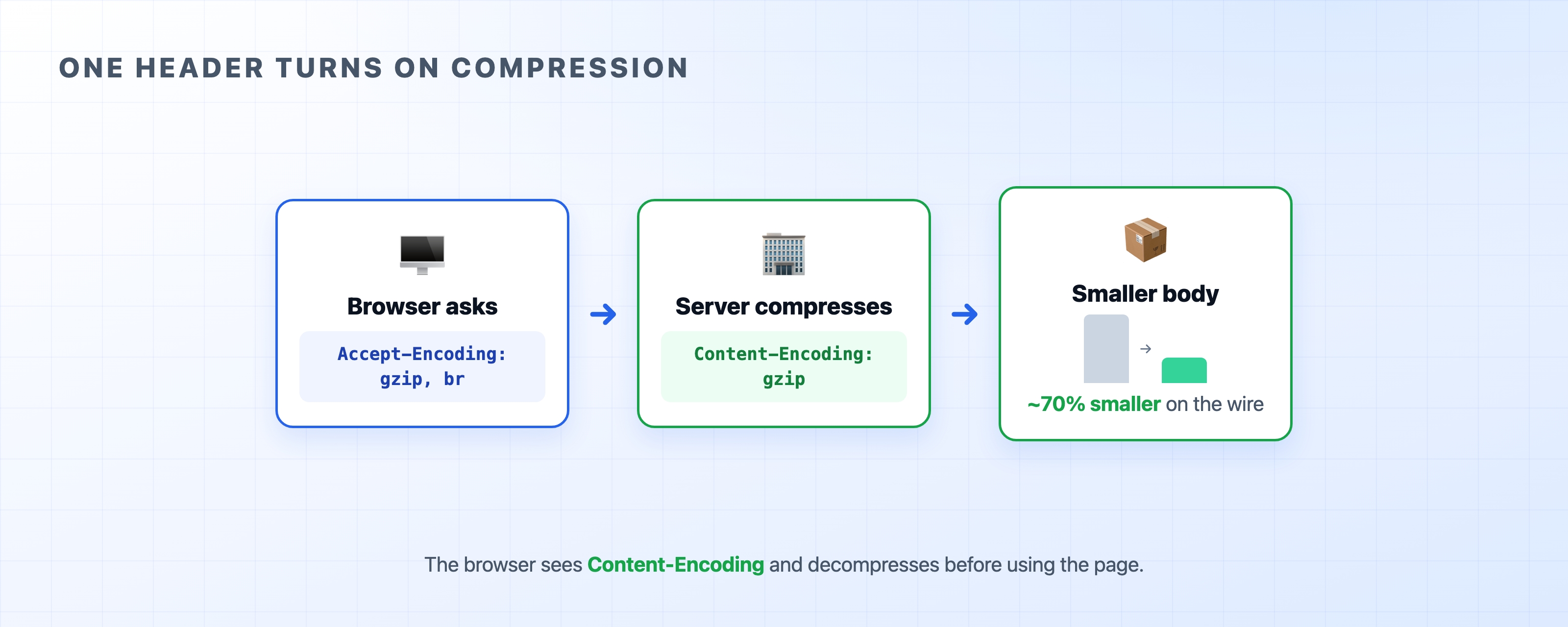
The browser sends Accept-Encoding: gzip, br to say it can decompress gzip or brotli files. If the server supports those formats, it compresses the body and sends back Content-Encoding: gzip. The resulting response is a fraction of its original size. The browser reads that response header and decompresses the file before displaying the content. One line from the client triggered compression on the server and decompression on the client. We will cover compression in detail later, but this shows how much action a single header can set in motion.
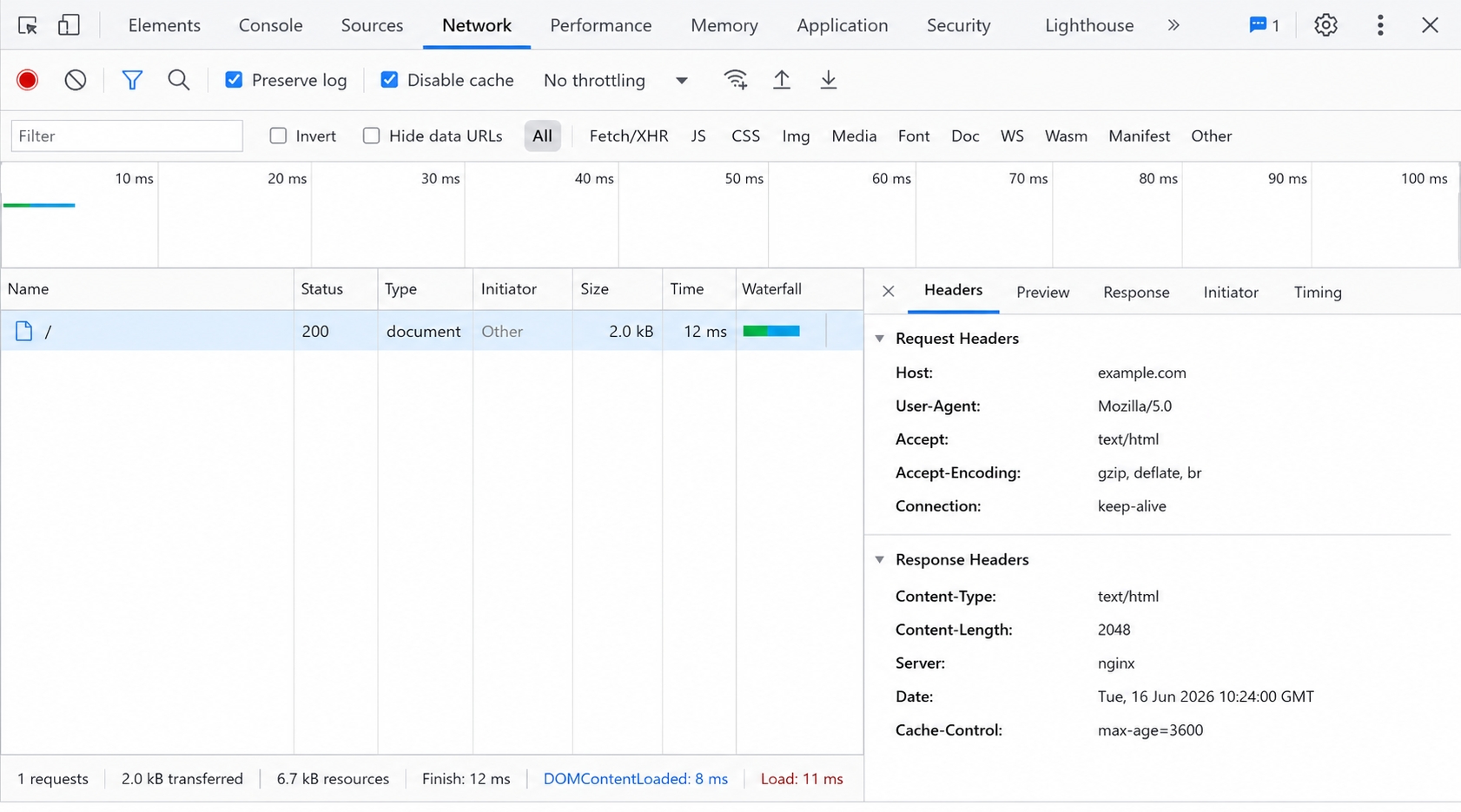
You can view every header on a real request using your browser's developer tools. Open the Network tab, click on any request, and look at the Headers panel.

You will see the request headers your browser sent and the response headers the server returned. They are grouped just like the buckets we discussed.
If you prefer the terminal, running curl -v https://example.com prints the request headers after the > symbols and the response headers after the < symbols. Try running this against two different websites. Notice how their response headers differ. The headers a server chooses to send reveal a lot about how it is built.
Every response opens with a status code. This is the number that tells you how the request went. The next chapter maps out the different ranges and covers the specific codes you will encounter most often.