We just followed one request the whole way down: from the URL you typed, through DNS, TCP, and TLS, to the encrypted HTTP exchange. But we stopped at the moment it arrived. This section turns around and looks at the machines a request passes through on its way to your code, the servers, proxies, and gateways. We start at the very front door: the web server, and the one question this chapter answers is what it actually does with your request the instant it lands.
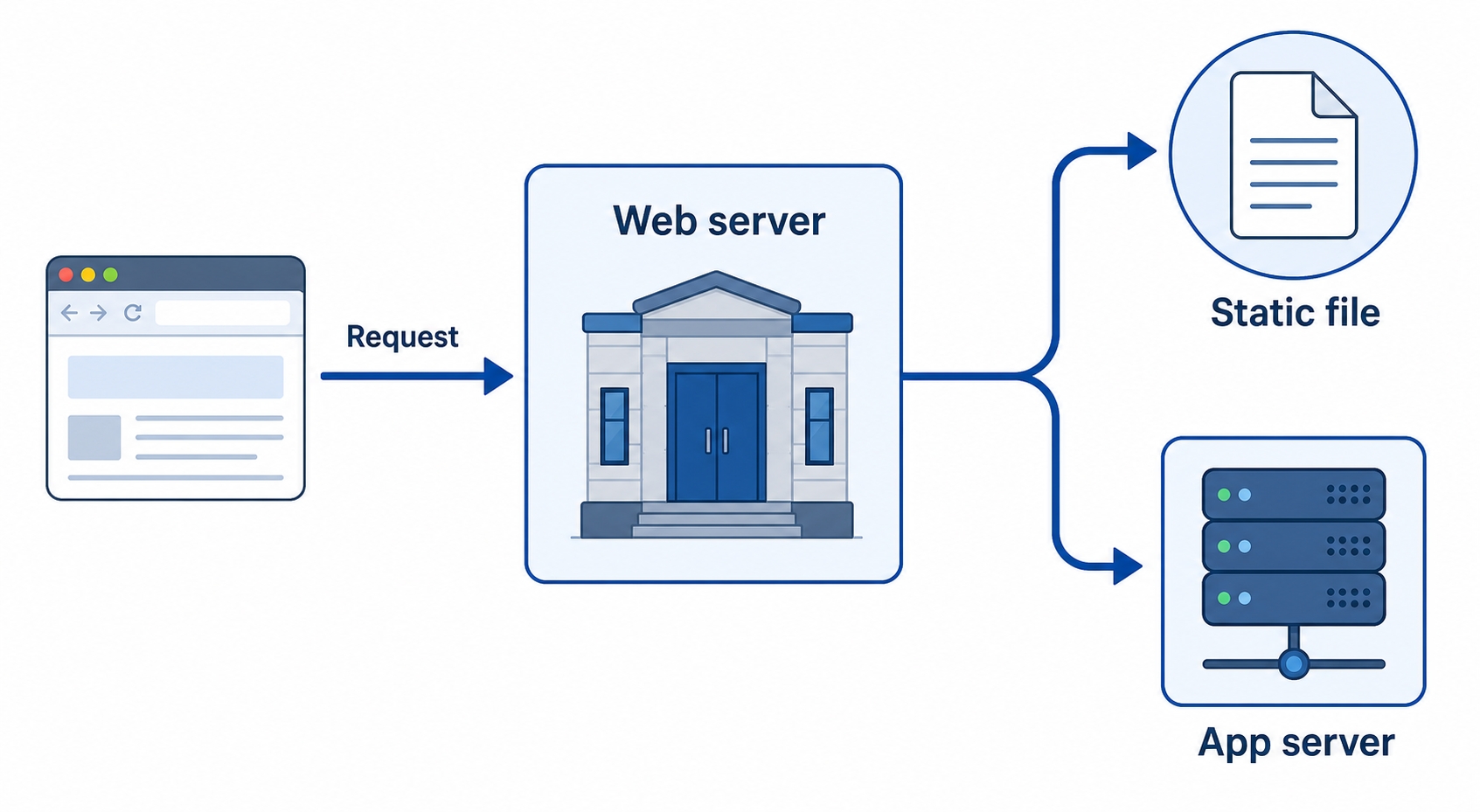
A web server's whole job, when a request arrives, is to decide where that request goes. It either hands back a file sitting on disk, or it passes the request along to an application that builds a response on the fly. Understanding that fork is the key to the rest of this section.
Here is what we will cover:
When people say "the server," they usually mean two different things at once, and pulling them apart is the single most useful idea in this chapter.
A web server is a program whose job is to speak HTTP. It listens on a port, accepts incoming connections, reads the request, and sends back a response. Nginx and Apache are the two you will meet most often. That is the front door: it greets every request, but on its own it does not know anything about your users, your shopping cart, or your blog posts.
The application is your actual code, the thing that knows your business. It might be a Node.js, Python, or Go program, often called an or just "the app." It is what looks up a user in the database, decides what their dashboard should say, and produces the HTML or JSON for it.
Here is the part beginners often mix up: these are usually two separate programs. The web server sits in front, takes the request, and when the request needs real logic, it forwards the request to the application and relays the application's answer back to the browser. The browser only ever talks to the web server. It never knows the app exists.
So why split them at all? Because they are good at different things. A web server is fast, battle-tested, and excellent at handling thousands of connections, serving files, and dealing with the messy realities of the public internet. Your application is where the interesting, changeable logic lives. Keeping the rough, high-traffic edge (the web server) separate from your code (the app) means your app can stay simple and focus on logic, while the web server absorbs the load and the network noise out front.
Once a request lands, the web server's decision comes down to what kind of content the request is asking for.

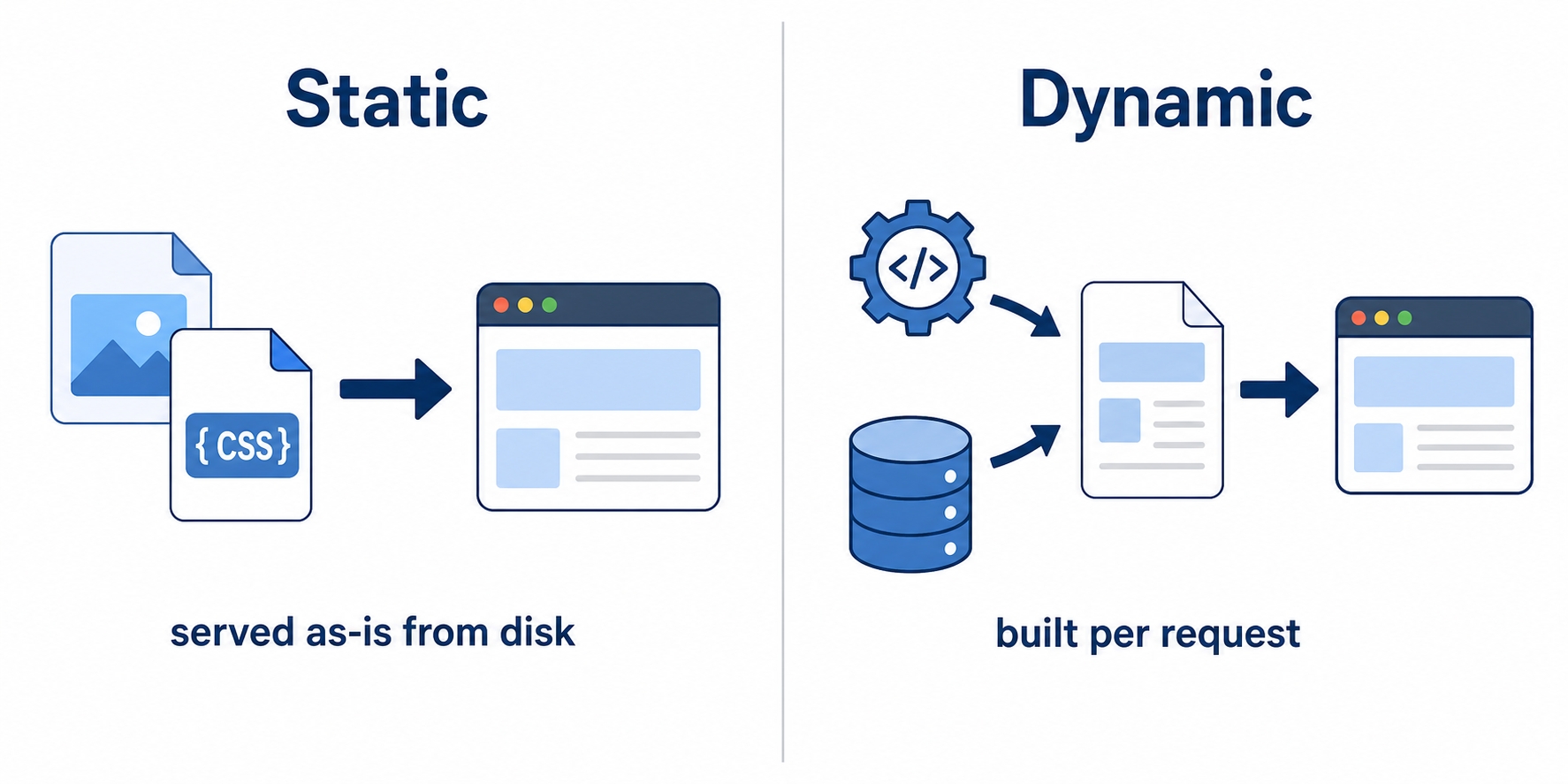
Static content is a file that already exists on disk, exactly as it will be sent. A logo image, a stylesheet, a JavaScript bundle, a downloadable PDF: the web server finds the file, reads its bytes, and sends them back unchanged. No code runs. This is the fastest path a request can take, and web servers are extremely good at it.
One word here causes endless confusion, so let's clear it up. "Static" does not mean "never changes." You can edit that CSS file and redeploy it tomorrow. Static means the server sends the file as-is, without running any code to build it for this particular request. The same bytes go to every visitor who asks for it.
Dynamic content is the opposite: there is no finished file to send, so the response has to be built when the request arrives. Think of your personalized dashboard, a search results page, or a feed. The web server cannot serve those from disk, because the answer depends on who is asking and on data that lives in a database. It hands the request to the application, the app runs its logic, builds a fresh response, and the web server sends that back.
A single page load usually mixes both. When you open a web app, the HTML for your personalized page is dynamic (built by the app for you), while the stylesheet, the fonts, and the images on that page are static (the same files sent to everyone). The web server routes each of those requests down the appropriate path without you ever noticing.
The cleanest way to see this fork is to read it in an actual config. Nginx is configured in plain text, and even a tiny config shows the whole decision. Here is a minimal one.
nginxserver {listen 80;server_name example.com;location / {root /var/www/html;}location /api/ {proxy_pass http://localhost:3000;}}
Read top to bottom, this says everything we have been describing. The server { ... } block defines one site. listen 80; tells Nginx to accept HTTP connections on port 80, the default HTTP port we met back in the ports chapter. server_name example.com; says this block answers requests for that hostname.
The two location blocks are the routing decision, and this is the heart of the file. A location block matches part of the request's path and decides what to do with requests that match it.
The first, location / { root /var/www/html; }, matches every path (everything starts with /). root points at a folder on disk, so a request for /style.css makes Nginx look for the file /var/www/html/style.css and send it straight back. This is the static path: find a file, serve it as-is.
The second, location /api/ { proxy_pass http://localhost:3000; }, matches any path that begins with /api/. Instead of looking for a file, proxy_pass forwards the request to another address, here an application listening on port 3000 on the same machine. That app builds the dynamic response, and Nginx relays it back to the browser. This is the front-door behavior from earlier, written in five lines.
Nginx checks the more specific location first, so a request for /api/users goes to the app, while /logo.png falls to the catch-all / block and is served from disk. The whole static-versus-dynamic split lives in those two blocks. When a web server forwards requests to a backend like this and presents the backend's answer as its own, it is acting as a reverse proxy, which is its own chapter later in this section.
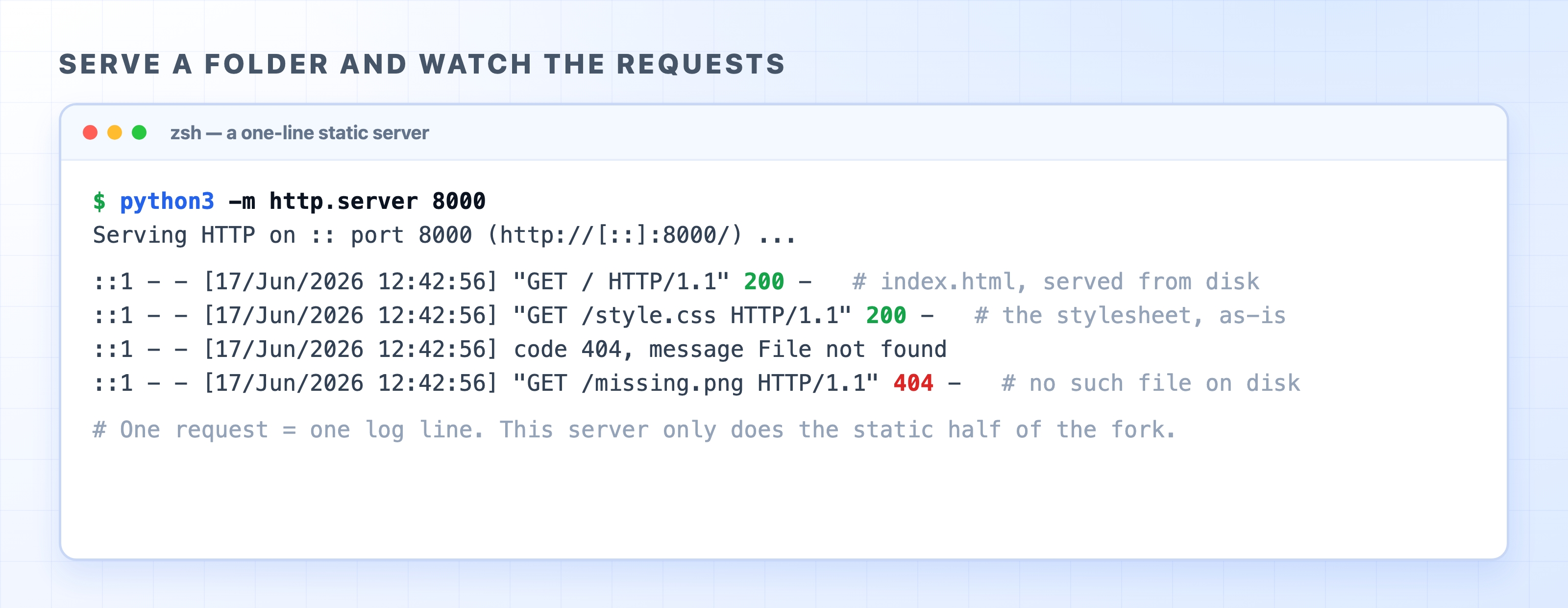
You do not need Nginx to watch a web server route requests. Python ships with a tiny static file server, and running it prints a log line for every request, so you can see the front door working in real time.
Make a folder with a file or two, then serve it:
bashmkdir demo && cd demoecho '<h1>Hello</h1>' > index.htmlecho 'body { font-family: sans-serif; }' > style.csspython3 -m http.server 8000
That last command starts a web server on port 8000 that serves the current folder as static files. Leave it running and open http://localhost:8000 in your browser, then request the stylesheet directly at http://localhost:8000/style.css, and finally ask for a file that does not exist, like http://localhost:8000/missing.png. Watch the terminal.

Every request becomes one log line, and you can read each one. The first two return 200, the success status from the status codes chapter: the server found index.html and style.css on disk and sent them as-is. That is static serving, the fastest path, with no application involved. The last request returns 404, because there is no missing.png file on disk to send. This little server only ever does the static half of the fork. To get the dynamic half, you would put an application behind it, which is exactly the role proxy_pass filled in the Nginx config above.
Press Ctrl+C to stop it when you are done.
You now know what sits at the front door and how it routes a request to a file or an app. The next chapter steps to the other side of the connection and looks at forward proxies, intermediaries that sit in front of clients rather than servers.