Almost every step in the previous chapter's journey—and nearly every interaction in this course—follows the exact same pattern: one side asks, and the other side answers. That pattern is called HTTP (the HyperText Transfer Protocol). It is the language of the web. Once you understand this basic shape, the web feels a lot less like magic.
HTTP is a simple request and response protocol. One computer sends a request to explain what it wants, and the other computer sends back a response with the answer. That is the entire deal.
Two rules make this predictable. First, the client always speaks first. A server never sends anything until it has been specifically asked. Second, every request gets exactly one response. Ask a question, get an answer; the server never volunteers extra messages on its own.
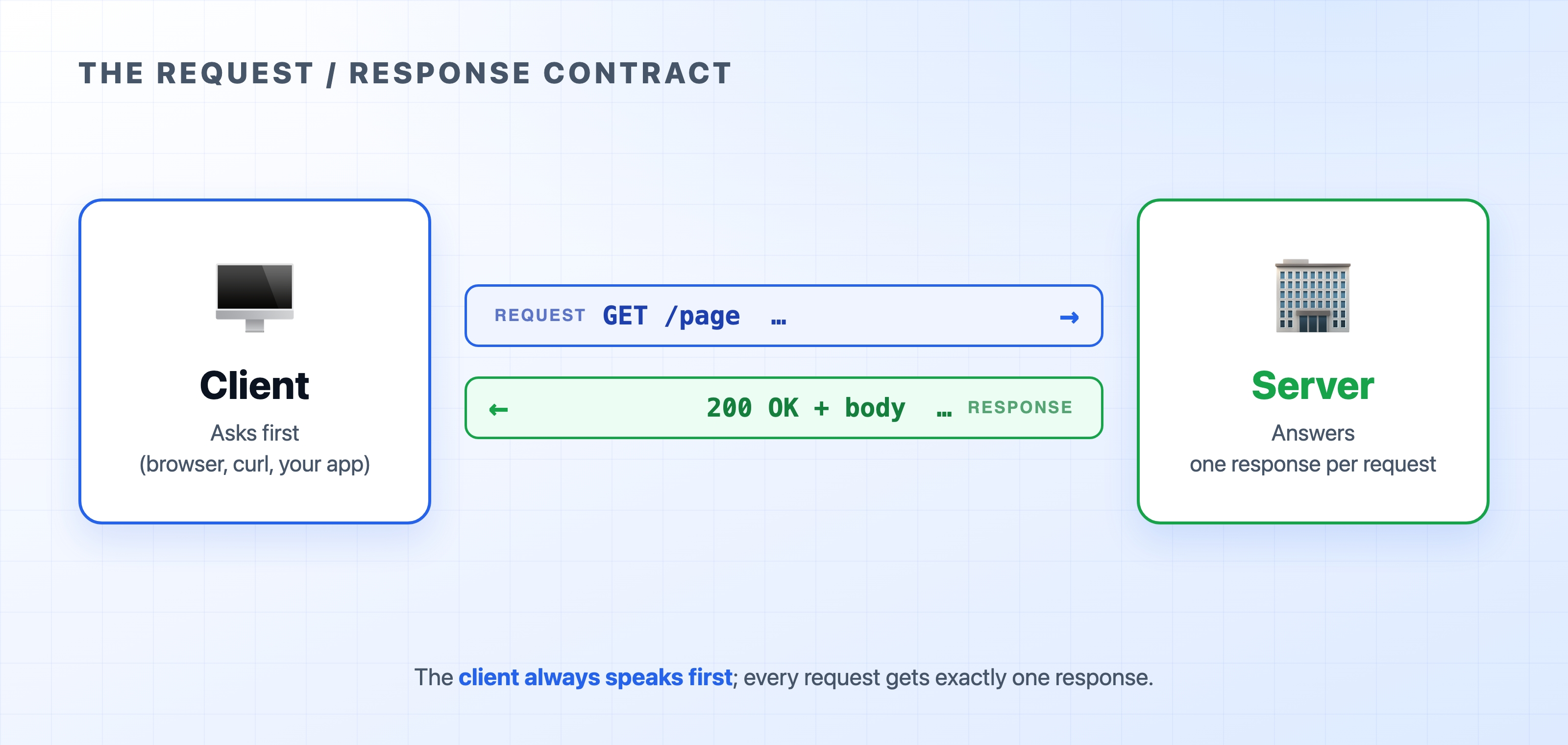
Both the request and the response follow a strict agreed-upon format. This is how a browser built by Google can talk flawlessly to a server built by Microsoft. Neither side had to coordinate with the other beforehand. They just have to follow the protocol.
People usually picture the client as a laptop and the server as a massive computer locked in a data center. That picture is often true, but it misses the real definition. Client and server are simply roles in a conversation, defined by who asks and who answers. It has nothing to do with hardware.

Those big server racks are what most people picture, and they aren't wrong. But a server is literally anything that answers a request. It could be a rack in a data center, or it could be a small program running right on your laptop.
Your browser is a client. So is the curl tool in your terminal. If you write a backend service that calls an external payment API, your backend is the client for that request, and the payment provider is the server. The exact same machine can be a server for one request and a client for the next. When you read the words "client" and "server" in this course, just ask yourself which side is doing the asking right now.
This is the part that often surprises beginners: HTTP is stateless. The server doesn't remember anything about your previous requests. Each request arrives carrying all the information the server needs to handle it. The instant the server replies, it completely forgets you.
That sounds like a terrible design flaw, but it is actually the reason the web scales so incredibly well. Because the server doesn't rely on memory from past requests, a popular website can run a hundred identical servers behind the scenes and let any of them handle your next click. There is no complicated memory to sync between them.
The obvious question is: if the server forgets me instantly, how do I stay logged into a website? The answer is that you re-prove you are logged in on every single request. The browser does this invisibly by attaching a small token or cookie every time it asks for something. Statelessness is the default rule; memory is carefully layered on top. We dedicate an entire section to how this works later.
HTTP isn't a complex, unreadable binary format. A request is just plain text. Here is roughly what your browser sends behind the scenes:
httpGET /index.html HTTP/1.1Host: example.comUser-Agent: curl/8.4.0Accept: */*
And here is the kind of plain-text response the server sends back:
httpHTTP/1.1 200 OKContent-Type: text/html; charset=UTF-8Content-Length: 1256<!doctype html><html> ... </html>
That is real HTTP. Those are the actual bytes on the wire. You could type it by hand if you wanted to.
A few concepts frequently get bundled together with HTTP that are completely different things:
Keeping HTTP and HTML separate in your head makes everything that follows much clearer.
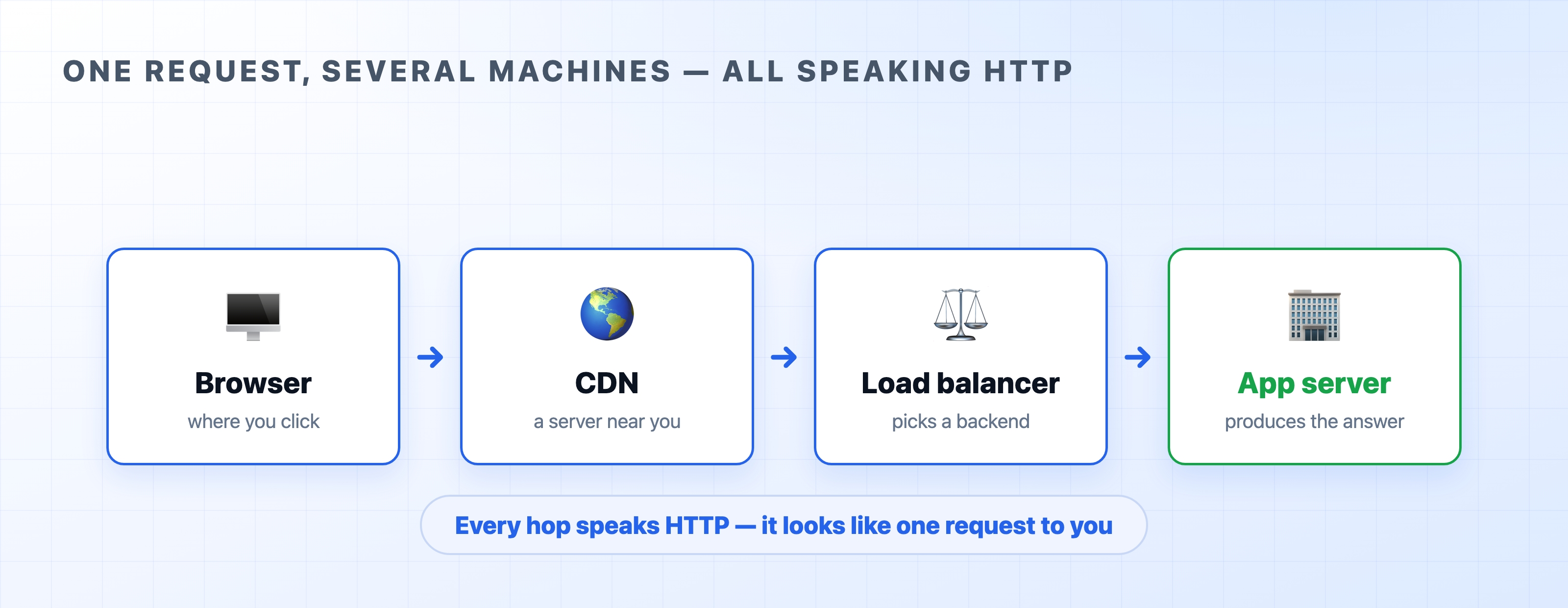
Here is one final concept to keep in mind. Between your browser and the code that actually builds the response, a request usually passes through several different machines: a local CDN, a load balancer, and finally an application server. Each one of those machines speaks HTTP to the next one in line.

To your browser, it looks like a single clean request and a single response. Underneath, multiple HTTP exchanges are chained together to make it happen. We cover each of those machines in the architecture section.
You can view a raw request and response with your own eyes in the terminal:
bashcurl -v https://example.com
In the output, the lines beginning with > are the request your machine sent. The lines beginning with < are the response that came back. You are reading raw HTTP — the same shape as the text blocks above, captured from a real server.
Every request begins by naming the one thing it wants: a URL. The next chapter takes the URL apart piece by piece and explains what a "resource" really is.