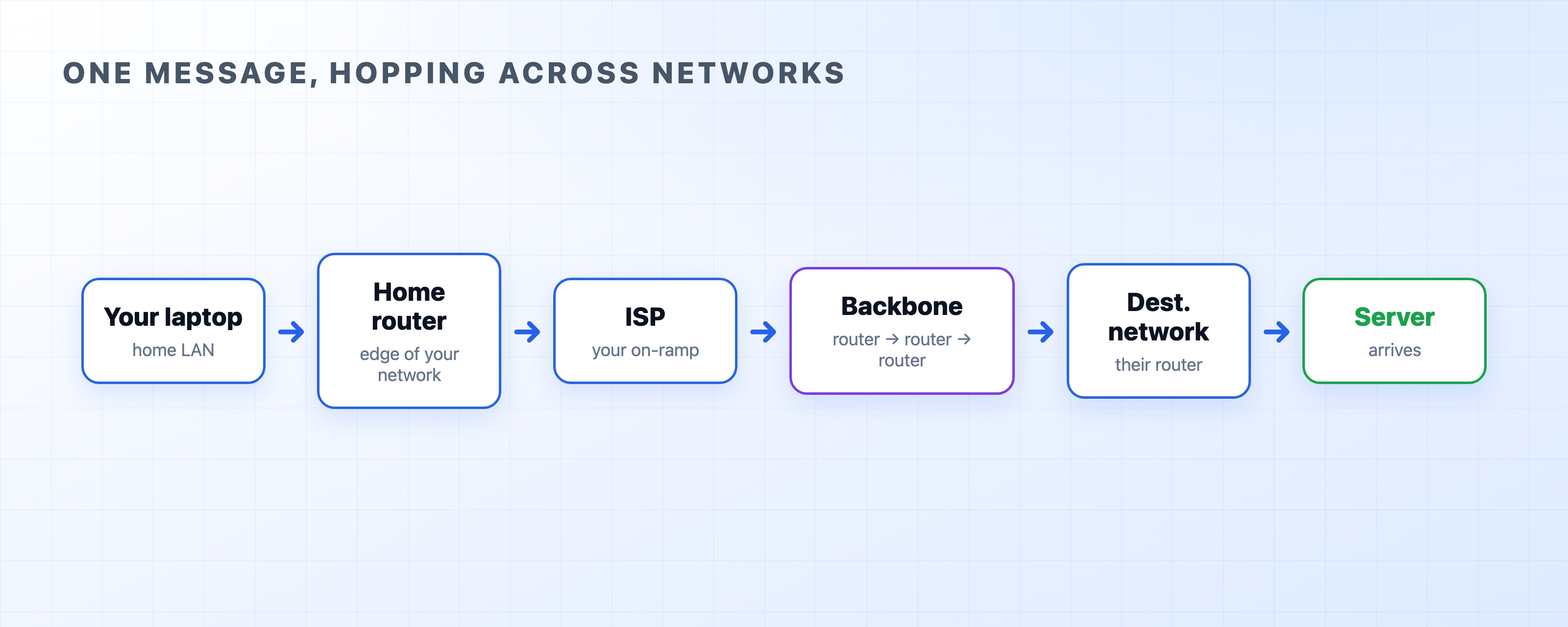
Starting with two computers on a single cable is easy because you don't have to make any routing decisions. Add more machines, and that simplicity disappears quickly. This chapter looks at how to scale a tiny network up to many computers, and how to join separate networks together. By the end, you'll see exactly where the word internet comes from.
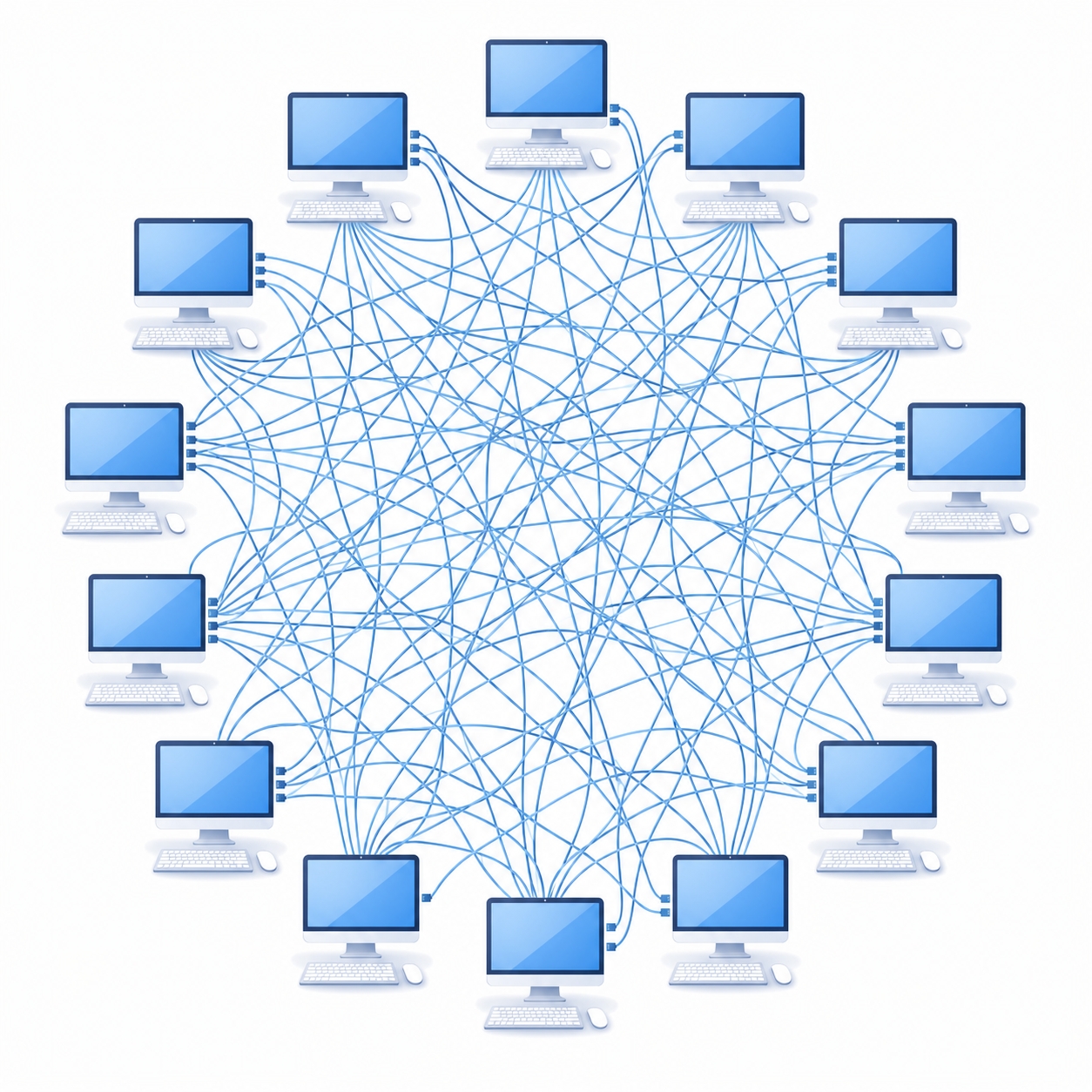
If you want to connect three computers, the obvious solution is to run a cable between each pair. It works perfectly. But try scaling that up, and the cost becomes impossible almost immediately.
Count the cables. Three machines need 3 cables. Four need 6. Five need 10. Ten need 45. A hundred machines would need 4,950 separate cables, and every new machine has to be wired directly to every machine already there. The math grows out of control fast. Nobody builds networks this way.
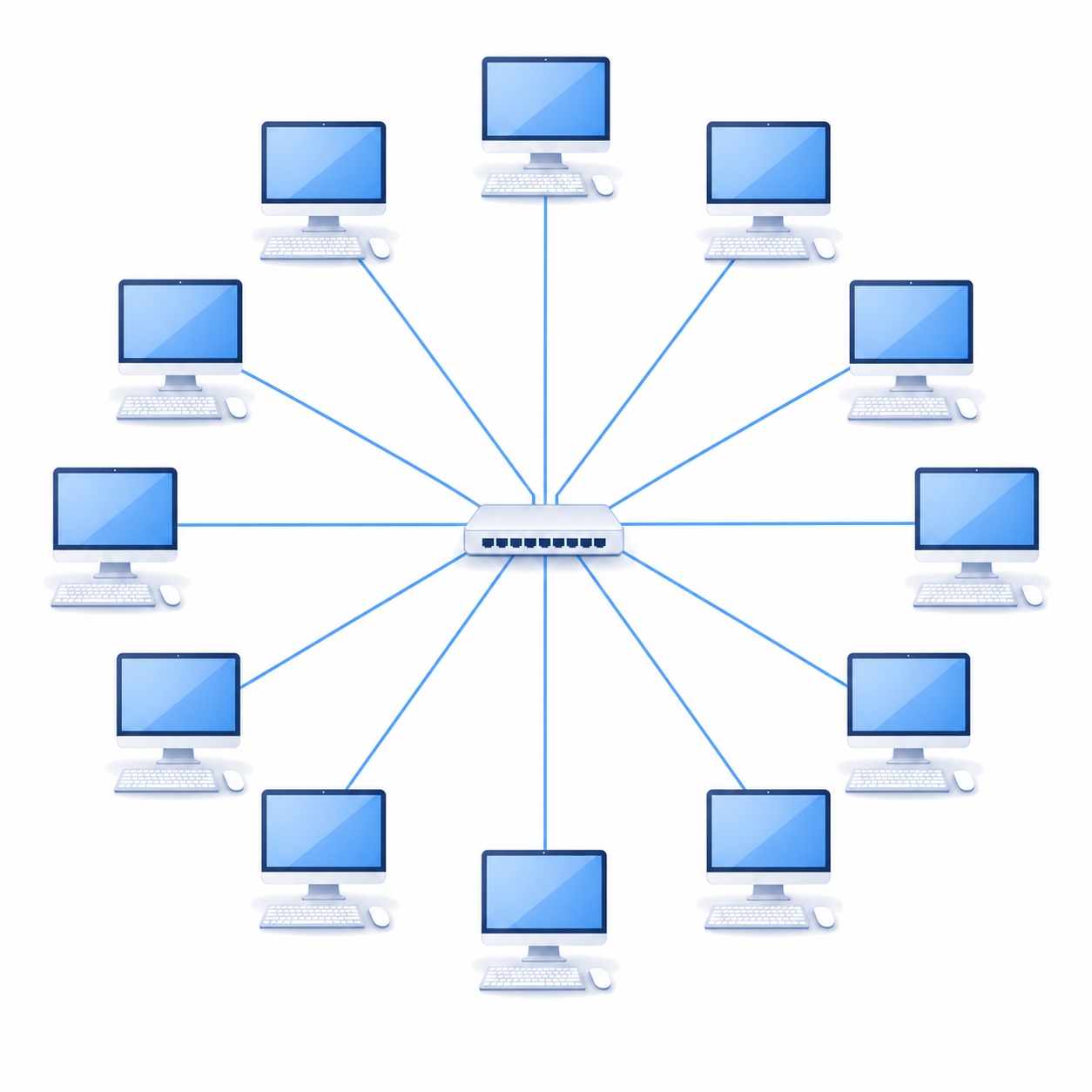
The fix is simple: stop connecting machines directly to each other, and plug them all into a shared central device instead.
A switch is a device with many ports. Instead of connecting computers to each other, you plug every machine into the switch using a single cable. When you want to add a new machine, you just run one cable to an open port on the switch. The tangled wire problem is gone.
A switch is smart. It doesn't just broadcast every message out of every port. It learns as it goes. When traffic flows through it, the switch remembers which MAC address is plugged into which port. From then on, it only sends a message out the specific port where the destination machine lives. It switches each message toward the correct computer using the MAC addresses we discussed in the last chapter.
The group of machines connected by a switch is called a LAN (Local Area Network). This is simply a set of devices that can reach each other directly, like the computers, phones, and printer in an office.
A switch is incredibly useful, but it has a built-in limit: it only knows about the machines physically plugged into it. Its world stops at the edge of its own local network. But the world is full of separate networks, like your home, a local café, or a massive Google data center. The whole point of the internet is reaching across them.
Connecting different networks requires a different device: a router. A router sits at the border between networks and passes traffic from one side to the other. While a switch decides which port a message belongs on locally, a router decides which external network a message needs to reach. It makes this decision using IP addresses instead of MAC addresses. This is why you need both. The MAC gets a message across the local network, and the IP gets it across the world.

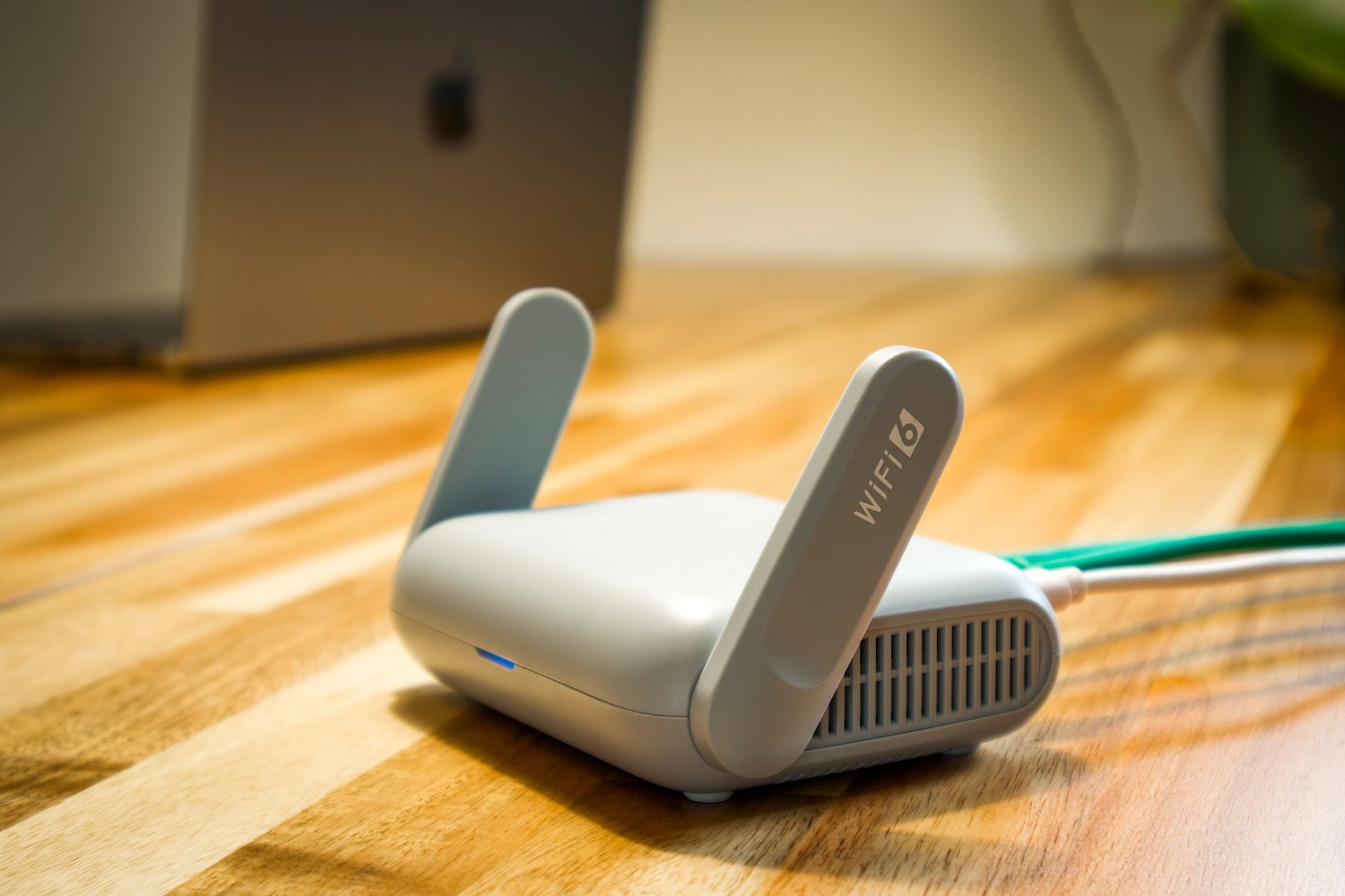
The box you probably call your "router" at home does exactly this. It sits between your home network and your internet provider, passing traffic across the boundary. Join many networks together with routers and you get an inter-network. Shorten that phrase, and you have the word internet. It is literally a network of networks stitched together.
When you load a web page hosted far away, your message doesn't teleport. It hops from one network to the next, with each router handing it along.

No single router knows the whole path. Each router just answers one question: out of all my links, which direction gets this message closer to its destination? Then it forwards the message and moves on. When a router doesn't recognize a destination, it uses a default route—basically a rule that says "send anything I don't recognize upstream." Your home router does exactly this. It has no idea where distant servers live, so it just sends everything out to your ISP and lets the bigger routers figure it out.
You can watch this hopping process happen live. The traceroute command (or tracert on Windows) prints out every router a message passes through on its way to a destination.
text$ traceroute example.com1 192.168.1.1 2 ms ← your home router2 10.20.0.1 9 ms ← your ISP3 72.14.236.1 14 ms ← into the backbone...8 93.184.216.34 88 ms ← the destination
Each numbered line is one router hop, and the time on the right is how long the round trip took. You are literally seeing the chain of networks your message crosses.
One quick note to keep things accurate: the single box on your desk labeled "router" is usually a router, a switch, and a Wi-Fi access point all jammed into one plastic case. They are distinct jobs, but they share the same box. Pulling those jobs apart in your mind makes the rest of the internet much easier to understand.
Wires, switches, and routers can move a message anywhere, but only if every device agrees on what the bits actually mean. The next chapter covers those agreements: protocols, and how they organize communication.