In the last chapter, you walked through a broken request layer by layer and found the bug without guessing. You started this course knowing how to send an HTTP request. Now, you can follow a URL from the moment you type it all the way to the bytes that come back. You can name every layer the request crosses and figure out exactly where it breaks when things go wrong. Take a moment to look back at how far you have come.
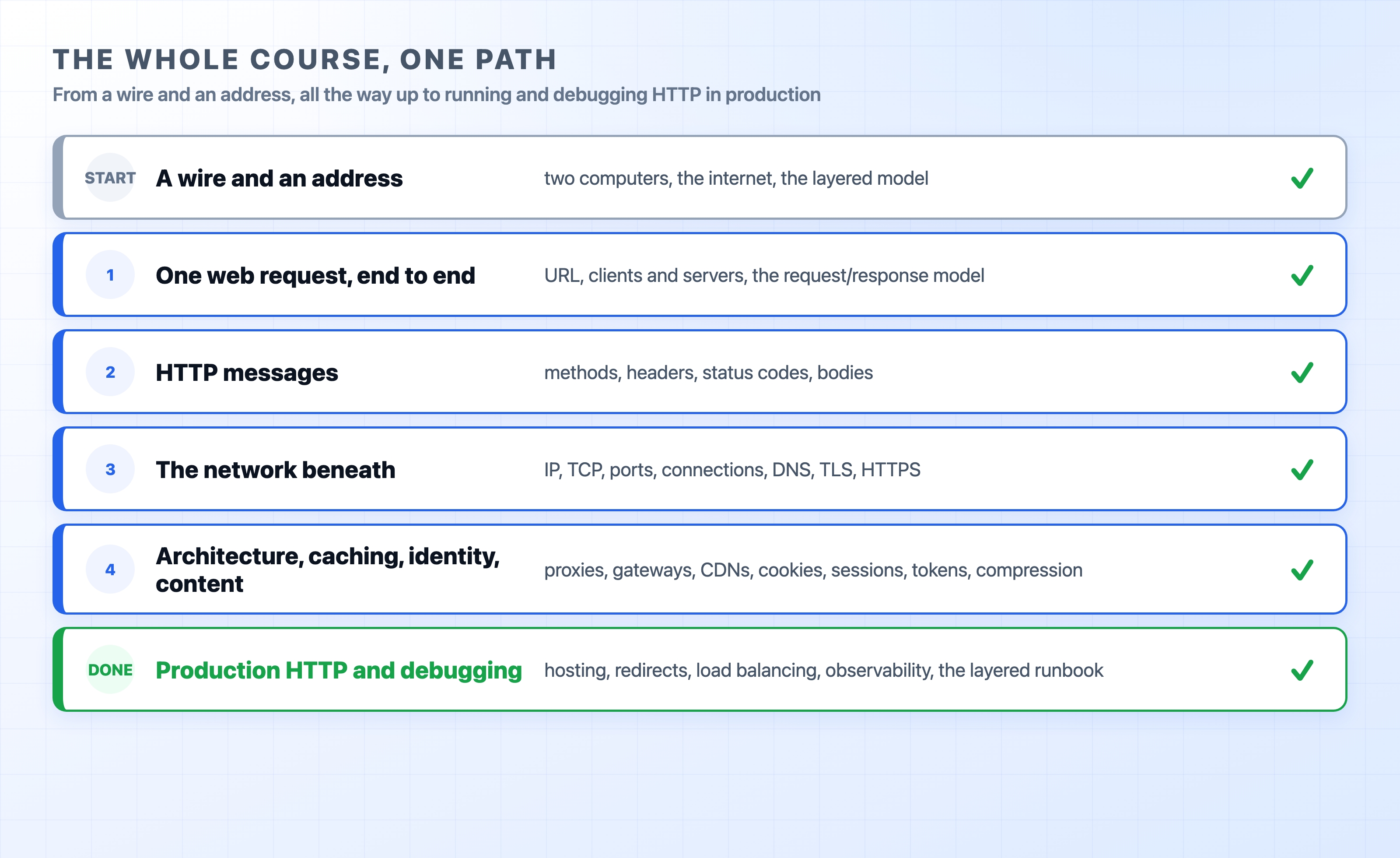
We built this knowledge from the bottom up. Each new idea rested on the one below it.
We started with two computers and a wire. We asked how a stream of bits gets from one machine to another, and how each machine knows where to send it. That led to addresses, then switches and routers joining small networks into the internet, and finally the layered model that organizes everything.
Next, we looked at one web request. You learned what happens when you open a website, what a client and a server are, and how a URL names a resource. We opened HTTP itself and read it line by line: the request line, the methods, the headers, the status codes, and the body underneath the blank line.
From there, we went below HTTP to the network that carries it. IP gets a packet to the right machine. TCP turns that best-effort network into the reliable, ordered stream that HTTP relies on. Ports and sockets pin a connection to a specific process. We saw how connection reuse makes HTTP/1.1, HTTP/2, and HTTP/3 feel faster than the last. Then DNS turned a name into an address, and TLS wrapped the exchange in encryption and trust to give us HTTPS.
With the request understood end to end, we looked at the machines it actually passes through: web servers, forward and reverse proxies, gateways, and tunnels. We explored the systems built on top of all that to make the real web work. We covered caching at the browser, the headers, and the CDN edge. We looked at cookies, sessions, tokens, and API keys that let a stateless protocol remember who you are. We also covered content handling, including Content-Type, negotiation, compression, and file uploads.
Finally, we ran it for real. Production HTTP covered virtual hosting, redirects, load balancing, rate limiting, and observability. And debugging gave you the toolkit to find problems anywhere along that path.
If you forget every header name and status code from this course, remember this one thing: HTTP sits on top of a stack of layers, and each layer has a clear job.
A name resolves to an address. A connection opens. Encryption is negotiated. A proxy routes the request. Your app answers. Every specific fact you learned hangs off this basic model.
This mental model is also what makes you useful when a system breaks. It turns a vague complaint like "the site is down" into three concrete habits:
curl to reproduce a request exactly, dig for DNS, and openssl s_client for the certificate. Each tool proves or clears one specific layer.These habits transfer to systems this course never even touched. Protocol details will change over time, but working through the layers in order will not.
You now have the foundation to read almost any networking material and actually follow it. Here are a few directions worth your time.
Go to the source. MDN's HTTP documentation is the best reference to keep open. It is precise about every header, method, and status code. When you want the exact wording, the relevant RFCs are surprisingly readable now that you know the concepts: RFC 9110 for HTTP semantics and RFC 9112 for HTTP/1.1.
Go deeper on the protocol. Ilya Grigorik's High Performance Browser Networking is free online and serves as the best deep dive on TCP, TLS, and the HTTP versions. It includes the round-trip and latency numbers that explain why each version was designed the way it is. Cloudflare's Learning Center has clean, production-grounded explainers for DNS, TLS, CDNs, and HTTP/3 over QUIC when you want to push past what we covered here.
Build on what HTTP enables. Three areas grow naturally out of this course: web performance (Core Web Vitals and using timing breakdowns to make pages faster), web security (CORS, CSP, and deeper authentication), and observability (request IDs and distributed tracing to follow one request across many services).
If a topic here grabs your attention, the other dalabs.academy courses go deeper into performance, security, and backend systems. They all stand on the same foundation you just built.
The fastest way to make all of this stick is to point it at something you already work on. Open the Network tab on your own site and read the timing breakdown. Run the layered runbook against a real domain. Check a certificate, watch a cache hit, or follow a redirect chain. The concepts move from theory to reality the moment you run them on your own systems.
You started this course seeing HTTP as a black box. You are leaving with the ability to open it, read it, and fix it. Go put it to work.