In this article, I will walk you through the easiest way to scale up your Node.js application to serve more requests: using the Cluster module.
Node.js runs on a single thread, which means that by default it uses only one CPU core. When your application receives a large number of requests or executes long-running, CPU-intensive tasks, the event loop can become blocked. As a result, the entire application may appear unresponsive—even though the server still has multiple idle CPU cores available.
But what happens if your server has many CPU cores? How can you take advantage of all of them?
Let's look at a practical example. Below is a simple Node.js application with two endpoints:
/fib: Calculates the 50th Fibonacci number. This is a CPU-bound, blocking task.
/info: Returns basic server information. This is a lightweight task.
javascriptconst express = require("express");const os = require("os");const app = express();const PORT = 3000;// Simple recursive Fibonacci (not optimized for large numbers)// This simulates a heavy CPU taskfunction fib(n) {if (n <= 1) return n;return fib(n - 1) + fib(n - 2);}// Endpoint to return the 50th Fibonacci numberapp.get("/fib", (req, res) => {const start = process.hrtime();const result = fib(50); // This blocks the event loop!const end = process.hrtime(start);const executionTime = (end[0] * 1000 + end[1] / 1000000).toFixed(2); // Convert to millisecondsres.json({fibonacciNumber: result,processingTime: `${executionTime}ms`,processId: process.pid,});});// Endpoint to return server infoapp.get("/info", (req, res) => {res.json({name: os.hostname(),numberOfCpus: os.cpus().length,processId: process.pid,});});// Start the serverapp.listen(PORT, () => {console.log(`Server is running on http://localhost:${PORT}`);});
Because the Fibonacci function is poorly optimized and CPU-intensive, it occupies the entire thread while executing. During this time, the application cannot respond to any other requests.
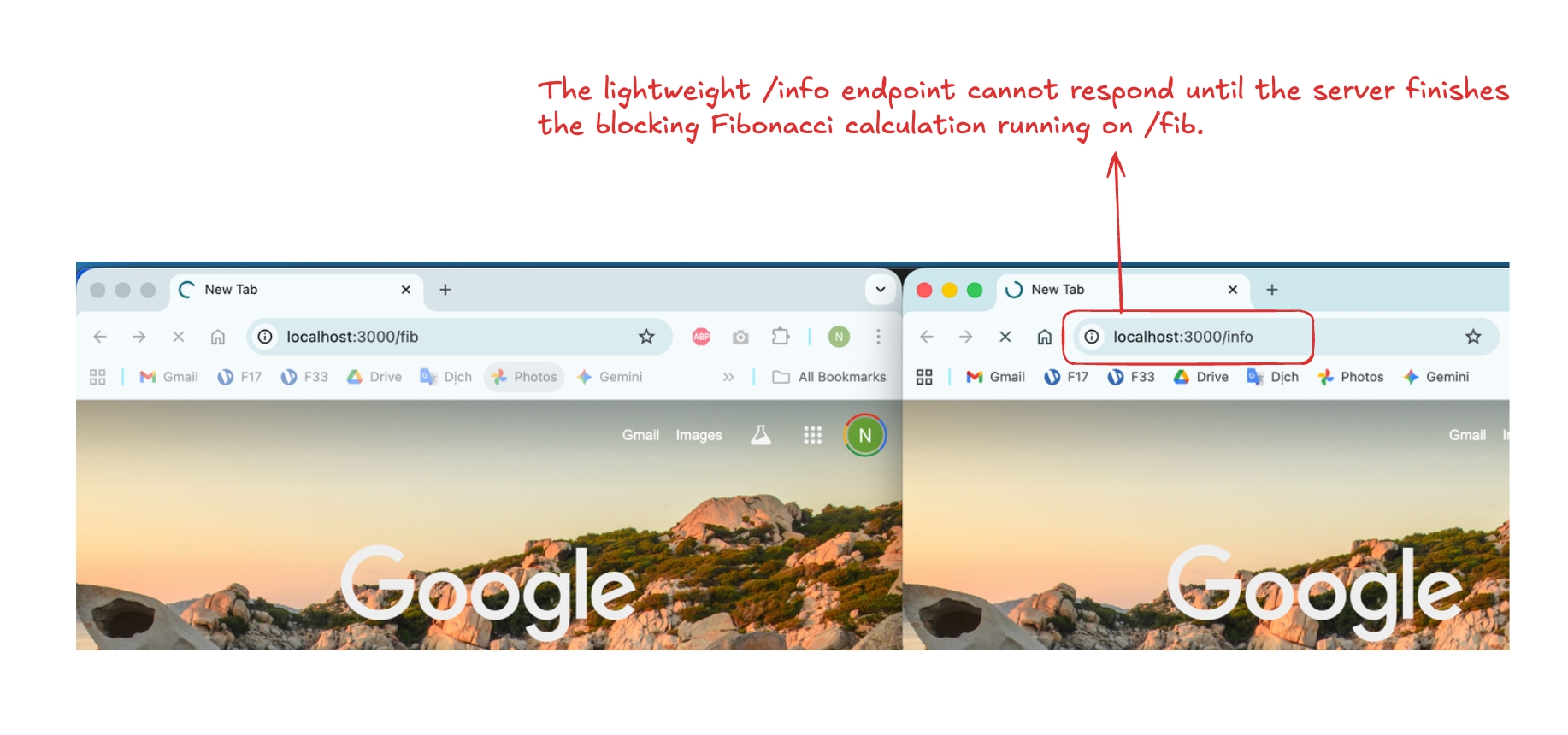
If you try to hit the /info endpoint while the /fib calculation is running, the server won't respond until the calculation is finished.
The result: Your application becomes unresponsive when handling heavy tasks, leading to a poor user experience.

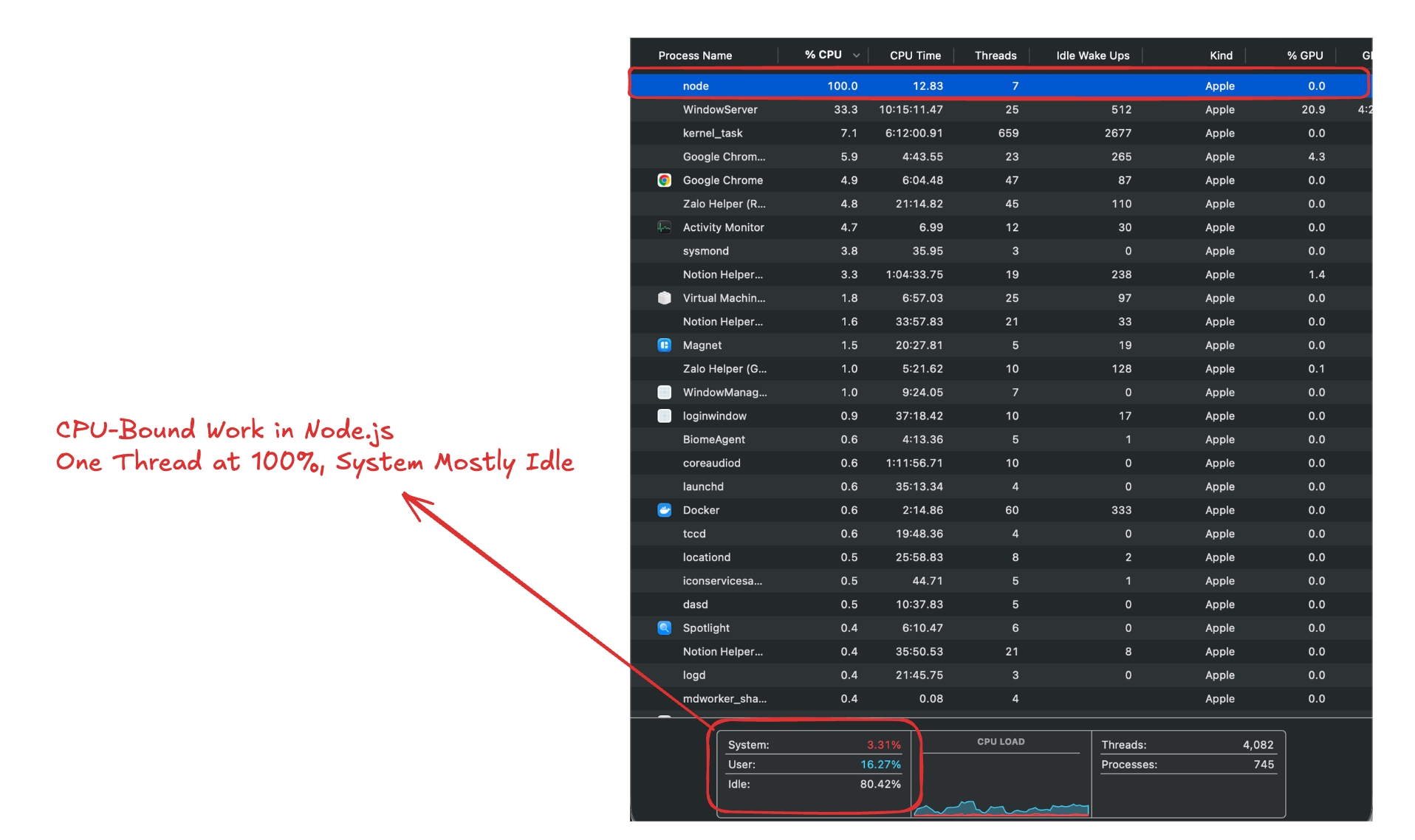
If you look at your system resources during this process, you will see a frustrating sight: on a server with 10 CPU threads, one thread is at 100% usage, while the other 9 are sitting idle.

Obviously, we have 9 idle CPUs doing nothing while one CPU works itself to death. So, how do we utilize those idle resources to handle more requests?
This is where the Cluster module comes to the rescue.
What is the Node.js Cluster?
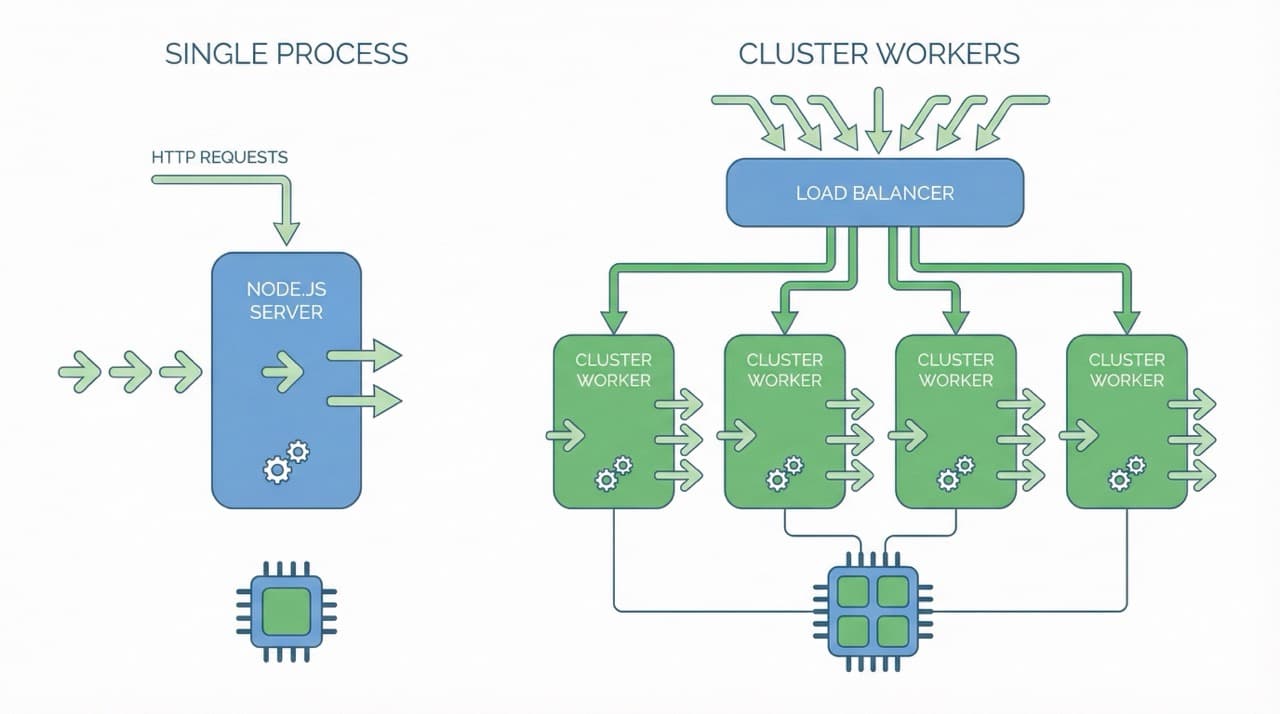
The Node.js Cluster module allows you to create child processes (workers) that run simultaneously on multiple CPU cores but share the same server port.
Utilization: It allows you to scale your application across all available CPU cores.
Independence: Each worker has its own event loop and memory instance.
Load Balancing: The Master (primary) process acts as a load balancer. It manages the workers and coordinates them, but it does not handle the incoming HTTP requests itself—the workers do that.
With a bit of refactoring, we can transform our code to utilize the full power of the server:
javascriptconst express = require("express");const os = require("os");const cluster = require("cluster");// Check if the current process is the Primary (Master)if (cluster.isPrimary) {const numCPUs = os.cpus().length;console.log(`Primary ${process.pid} is running`);// Fork workers for each CPU corefor (let i = 0; i < numCPUs; i++) {cluster.fork();}// Monitor workers: if one dies, fork a new onecluster.on("exit", (worker, code, signal) => {console.log(`Worker ${worker.process.pid} died`);cluster.fork();});} else {// This block runs inside the Worker processesconst app = express();const PORT = 3000;function fib(n) {if (n <= 1) return n;return fib(n - 1) + fib(n - 2);}app.get("/fib", (req, res) => {const start = process.hrtime();const result = fib(50);const end = process.hrtime(start);const executionTime = (end[0] * 1000 + end[1] / 1000000).toFixed(2);res.json({fibonacciNumber: result,processingTime: `${executionTime}ms`,processId: process.pid,});});app.get("/info", (req, res) => {res.json({name: os.hostname(),numberOfCpus: os.cpus().length,processId: process.pid,});});app.listen(PORT, () => {console.log(`Worker ${process.pid} is running on http://localhost:${PORT}`);});}
In this version, the code runs on multiple threads equal to the number of CPUs in your system.
Now, if you perform requests simultaneously:
Bash
javascriptGET localhost:3000/fibGET localhost:3000/info
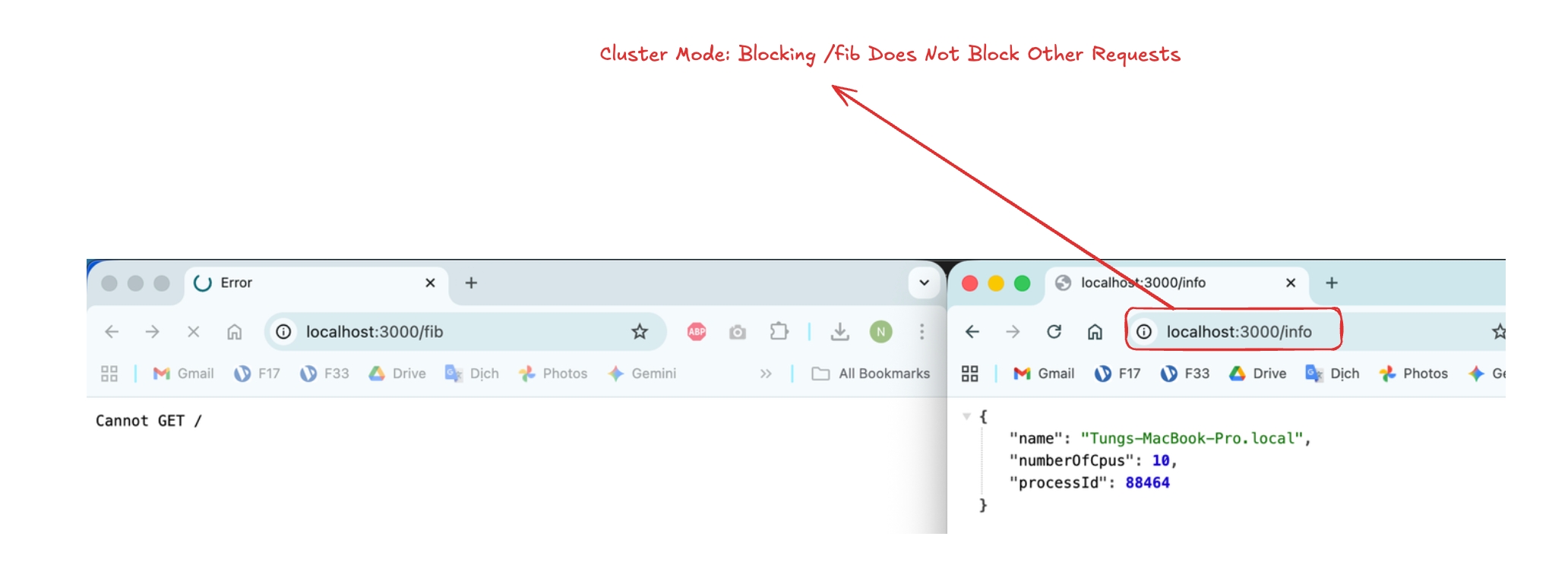
They can be processed at the same time! Even if one worker is 100% occupied calculating the Fibonacci number, the /info request will be handled instantly by a different worker on a different thread.

You will also notice that the processId in the response changes, confirming that different workers are handling different requests.
Using the Cluster module is a powerful native way to maximize the hardware you are already paying for. By forking workers, you ensure that a single heavy request doesn't bring your entire application to a halt.
Get the full source code here: