In this chapter, we set up the Fastify project that will become our URL Shortener API. We will configure TypeScript, Jest, and Swagger, and then write our first failing test for a health check endpoint using TDD.
Why TypeScript
We are writing this entire project in TypeScript. If you have only used plain JavaScript for Node.js, here is why the switch is worth it:
Type safety catches bugs before tests run. TypeScript flags typos, wrong argument types, and missing properties before you even run a test. This gives you an extra safety net on top of TDD. Your types catch one class of bugs, and your tests catch another.
IDE autocompletion becomes useful. With TypeScript, your editor knows the shape of every object, function signature, and return type. When you type app. in a Fastify project, you get a full list of available methods. This is especially valuable when learning a new framework.
It is the industry standard for production Node.js. Most serious Node.js projects use TypeScript today. Learning TDD with TypeScript means the patterns you learn here transfer directly to real-world codebases.
No build step needed. We use tsx, a TypeScript runtime that executes .ts files directly. There is no tsc compilation, no dist folder, and no build step. You write .ts files and run them. For development and testing, it feels just like plain JavaScript.
Why Fastify
You might wonder why we use Fastify instead of Express. Express is the most popular Node.js framework, and most tutorials teach it. However, for a production backend today, Fastify is usually a better choice.
Fastify is actively maintained. Express went years without a major release. Fastify ships regular updates and has an active core team. When you build something for production, you want a framework that keeps up with the Node.js ecosystem.
It is built around a plugin system. Everything in Fastify is a plugin, including routes, database connections, and authentication. This encourages you to write modular code from the start. You avoid ending up with a massive app.ts file because the framework naturally pushes you toward separation.
Schema validation is built in. Fastify uses JSON Schema to validate requests and responses. You define the shape of your data once, and Fastify handles validation automatically. This same schema also powers automatic API documentation. You write it once and get validation and docs for free.
It is fast. Fastify is one of the fastest Node.js frameworks available. Raw speed is not the main concern for our URL Shortener, but it is nice to know we are not leaving performance on the table.
Scaffolding the Project
Start by checking out the start branch:
git checkout 03-project-setup-start
bash
You will notice the hello.js and hello.test.js files from Chapter 2 are gone. We are starting fresh with a proper project structure.
src/app.ts - builds and configures the Fastify application
src/server.ts - starts the server (entry point)
src/routes/ - route handlers, one file per resource
__tests__/ - test files, mirroring the source structure
tsconfig.json - TypeScript configuration (strict mode, no emit)
jest.config.ts - Jest configuration with ts-jest
This separation between app.ts and server.ts is important. The app builder creates and configures the Fastify instance without starting it. The server file calls the builder and then listens on a port. Because of this, our tests can create a fresh app instance without starting a real HTTP server. This keeps tests fast and isolated.
Configuration
Open package.json to see what we are working with:
// package.json
{
"name":"url-shortener",
"version":"1.0.0",
"description":"A URL shortener API built with Fastify and TDD",
"scripts":{
"start":"tsx src/server.ts",
"dev":"tsx watch src/server.ts",
"test":"jest --verbose",
"typecheck":"tsc --noEmit"
},
"dependencies":{
"@fastify/swagger":"^9.7.0",
"@fastify/swagger-ui":"^5.2.5",
"fastify":"^5.8.2"
},
"devDependencies":{
"@types/jest":"^29.5.14",
"@types/node":"^22.15.21",
"jest":"^30.0.0-beta.3",
"ts-jest":"^29.3.4",
"tsx":"^4.19.4",
"typescript":"^5.8.3"
}
}
json
Four scripts:
npm start - runs the server using tsx (TypeScript, no build step)
npm run dev - runs the server with file watching, so it restarts automatically when you change a file
npm test - runs Jest in verbose mode
npm run typecheck - runs the TypeScript compiler to check types without emitting files
For dependencies, we have fastify as our web framework, along with @fastify/swagger and @fastify/swagger-ui for automatic API documentation. For dev dependencies, we use typescript and tsx for the runtime, jest with ts-jest for testing, and type definitions for Node.js and Jest.
Why Jest Instead of Node's Built-In Test Runner
In Chapter 2, we used node:test, Node's built-in test runner. It worked fine for a single file, but for a larger project we usually need more. Jest gives us:
Mocking - we will need to mock database calls and external services later
Snapshot testing - useful for verifying API response structures
Watch mode - re-runs only the tests affected by your changes
A massive ecosystem - when you hit a testing problem, someone has already solved it in Jest
We use ts-jest to transform TypeScript test files. It plugs into Jest's transform pipeline so .ts files work immediately, without a separate compilation step.
The trade-off is a few extra dependencies. For this course, the benefits outweigh the cost.
TypeScript Configuration
Look at tsconfig.json:
// tsconfig.json
{
"compilerOptions":{
"target":"ES2022",
"module":"Node16",
"moduleResolution":"Node16",
"strict":true,
"isolatedModules":true,
"esModuleInterop":true,
"skipLibCheck":true,
"noEmit":true,
"outDir":"dist",
"rootDir":".",
"resolveJsonModule":true,
"declaration":true,
"declarationMap":true,
"sourceMap":true
},
"include":["src/**/*","__tests__/**/*"],
"exclude":["node_modules","dist"]
}
json
A few key options:
strict: true - enables all strict type-checking options. This catches more bugs at compile time. We want the strictest checks possible.
noEmit: true - the compiler only checks types, it does not output JavaScript files. We use tsx to run TypeScript directly, so there is no build step.
module: "Node16" - uses Node.js's native module resolution. This matches how tsx resolves imports.
isolatedModules: true - ensures each file can be compiled independently, which is required by ts-jest.
Jest Configuration
// jest.config.ts
importtype{ Config }from"jest";
const config: Config ={
preset:"ts-jest",
testEnvironment:"node",
roots:["<rootDir>/__tests__"],
};
exportdefault config;
typescript
The ts-jest preset handles transforming .ts test files. The roots option tells Jest to look for tests in the __tests__ directory. That is all we need for a minimal configuration.
description:"A URL shortener service built with Fastify and TDD",
version:"1.0.0",
},
},
});
await app.register(swaggerUi,{
routePrefix:"/documentation",
});
// Register routes
await app.register(healthRoute);
return app;
};
typescript
The buildApp function is an app factory. It creates a new Fastify instance every time you call it. This is a common pattern in Fastify applications.
A few things to notice:
BuildAppOptions interface - defines what options the factory accepts. Right now it is just logger, but as the app grows we will add database URLs and other configuration here. TypeScript makes sure callers pass valid options.
FastifyInstance return type - the function signature tells you (and your IDE) exactly what you get back. No guessing.
opts.logger ?? true - the logger is on by default, but tests can turn it off by passing { logger: false }. Without this, test output would be cluttered with HTTP request logs.
Swagger is registered with OpenAPI metadata. Every route that defines a schema will automatically appear in the API docs.
Routes are registered as plugins using app.register(). This is Fastify's plugin system in action. Each route file exports a FastifyPluginAsync that receives the app instance.
The Server Entry Point
// src/server.ts
import{ buildApp }from"./app";
const start =async():Promise<void>=>{
const app =awaitbuildApp();
try{
await app.listen({ port:3000});
app.log.info(`Documentation at http://localhost:3000/documentation`);
}catch(err){
app.log.error(err);
process.exit(1);
}
};
start();
typescript
This file does one thing: it builds the app and starts listening on port 3000. After a successful start, it logs the documentation URL so you know where to find the Swagger docs. If something goes wrong, it logs the error and exits. We will not need to touch this file very often. Most of our work happens in routes and app.ts.
Why a Health Check Endpoint
Before we write our first test, we should understand what we are testing and why.
A health check endpoint is a simple route like GET /health that returns a 200 status. It is often the first thing you add to an API. It seems trivial, but it serves a critical purpose in production:
Load balancers use it to decide whether to send traffic to your server. If /health stops returning 200, the load balancer removes your server from the pool.
Container orchestrators like Kubernetes use it as a liveness probe. If the health check fails, Kubernetes restarts your container automatically.
Monitoring systems poll it to detect outages. When /health goes down, your team gets paged.
It is also the simplest possible endpoint. There is no database, no authentication, and no business logic. That makes it the perfect first test. We can verify that our entire stack works (Fastify boots, routes are registered, responses are correct) without any complexity.
Writing the Test First (Red)
Here is the test file at __tests__/health.test.ts:
let app: FastifyInstance - we declare the type explicitly. This gives us full autocompletion on app, with every method and property fully typed.
buildApp({ logger: false }) - we create a fresh Fastify instance with logging disabled. No noisy request logs in our test output.
await app.ready() - Fastify boots asynchronously (loading plugins, registering routes). We need to wait for it to be ready before sending requests.
await app.close() - clean up after the tests. This closes any open connections and prevents Jest from hanging.
app.inject() - this is Fastify's built-in testing utility. It simulates an HTTP request without actually starting a server or opening a network port. No need for supertest or any other HTTP testing library. Fastify has this built in.
The test makes two assertions:
The status code should be 200
The response body should be { message: "hello" }
Run the test:
npm test
bash
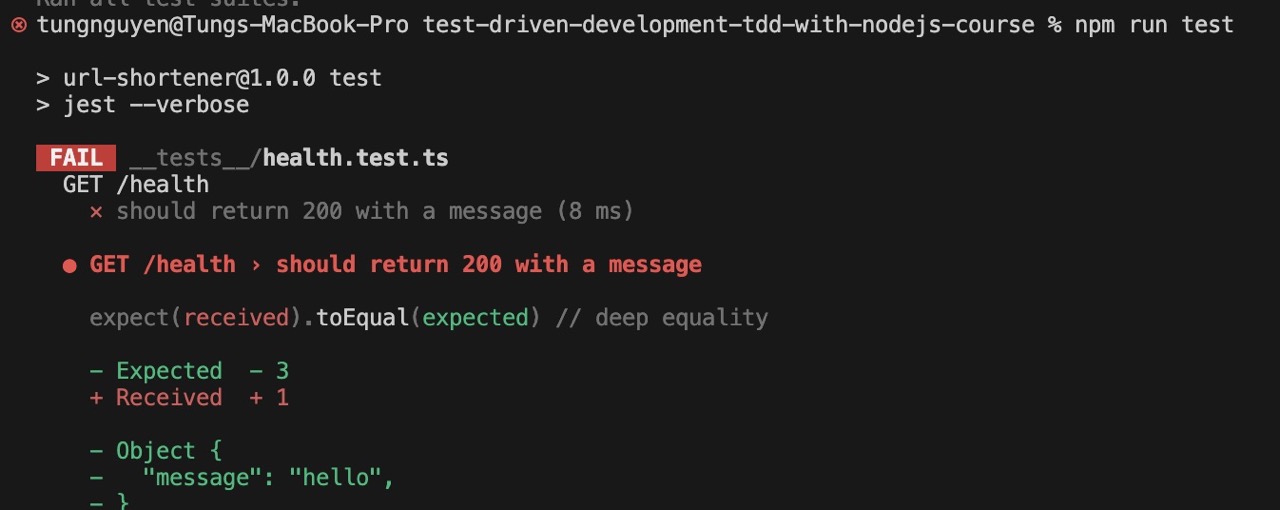
FAIL __tests__/health.test.ts
  ● GET /health › should return 200 with a message

    expect(received).toEqual(expected) // deep equality

    - Expected  - 3
    + Received  + 1

    - Object {
    -   "message": "hello",
    - }
    + Object {}

      21 |
      22 |     expect(response.statusCode).toBe(200);
    > 23 |     expect(response.json()).toEqual({ message: "hello" });
         |                             ^
      24 |   });
      25 | });
      26 |

      at Object.<anonymous> (__tests__/health.test.ts:23:29)

Test Suites: 1 failed, 1 total
Tests:       1 failed, 1 total
Snapshots:   0 total
Time:        0.183 s
Ran all test suites.
Terminal showing failing health check test with Jest
Red. The test fails. It expected { message: "hello" } but received an empty object {}. Look at the health route in src/routes/health.ts to see why:
The route is registered. The schema is defined. But the handler returns an empty object. The test tells us exactly what needs to change.
FastifyPluginAsync - this is the type for a Fastify plugin function. It tells TypeScript (and you) that this function receives a Fastify instance and registers routes on it. If you pass the wrong type or forget to make it async, the compiler catches it.
Notice the schema block. This is Fastify's JSON Schema integration. It describes what the response looks like: an object with a message property of type string. This schema serves double duty. Fastify uses it for response serialization, and Swagger uses it to generate API documentation. You write the schema once and get both for free.
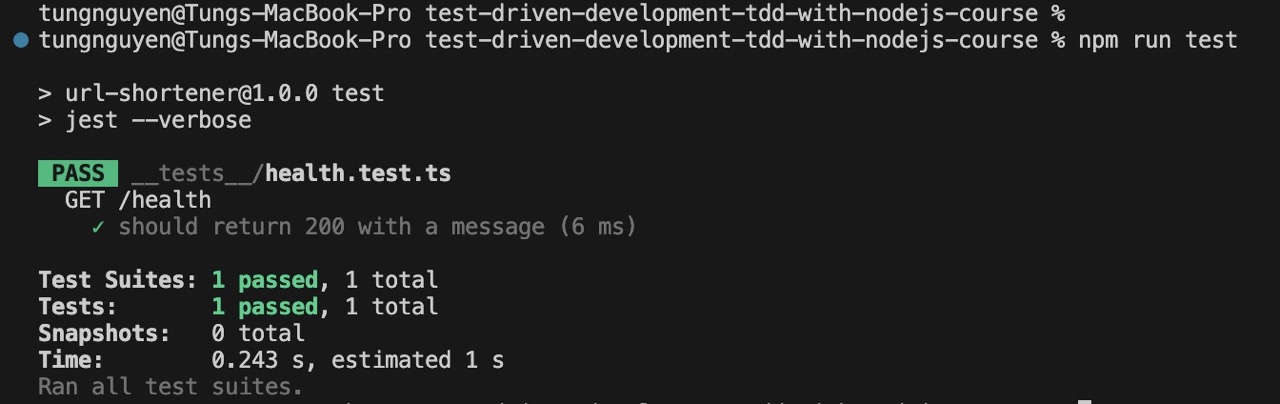
Test Suites: 1 passed, 1 total
Tests:       1 passed, 1 total
Snapshots:   0 total
Time:        0.175 s
Ran all test suites.
Terminal showing passing health check test with Jest
Green. The test passes. We wrote the minimum code needed by returning { message: "hello" } from the handler.
You can verify this by checking out the finish branch:
git checkout 03-project-setup-finish
bash
Refactor
There is nothing to refactor here. The code is already as simple as it gets: one route, one handler, and one return statement. In later chapters, as the codebase grows, the refactor step will become more meaningful.
Swagger — Your API Documentation
Start the server to see the API docs:
npm start
bash
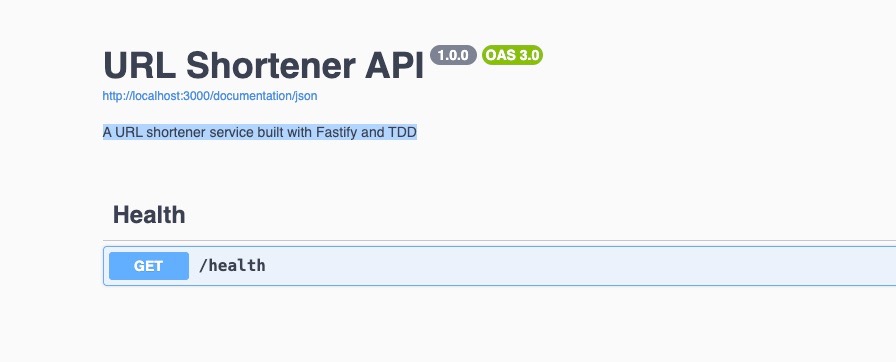
Open your browser and go to http://localhost:3000/documentation. You will see a Swagger UI page showing the URL Shortener API, with our GET /health endpoint listed under the "Health" tag.
Swagger UI showing the health check endpoint documentation
Click on the endpoint, hit Try it out, then Execute. You will see the 200 response with { "message": "hello" }.
This is the benefit of defining schemas on your routes. We did not write any documentation separately. Swagger reads the JSON Schema we already defined on the route and generates interactive docs automatically. As we add more endpoints in future chapters, they will all appear here without any extra work.
In the next chapter, we start building the actual URL shortening feature (POST /shorten) using in-memory storage and full TDD.